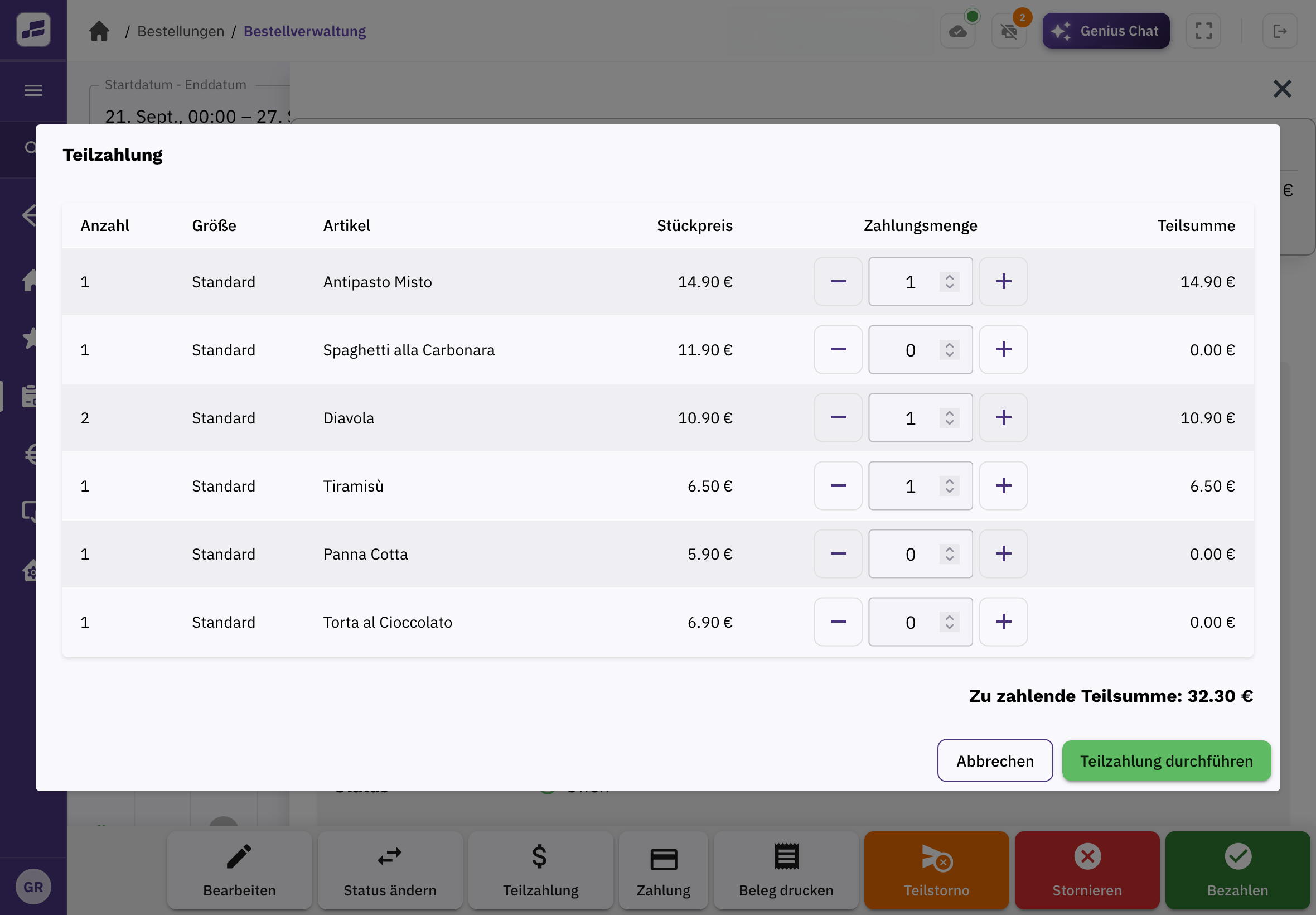
Split the bill by item.
Select the items a guest wants to pay for. Everything else stays open on the order.
FoodGenius · Everyday restaurant life
With FoodGenius, you can settle individual items or specific amounts separately. The remaining balance stays open on the order, so you can keep track as guests pay.
Select the items a guest wants to pay for. Everything else stays open on the order.
If a guest wants to pay a specific amount, you can settle it separately. Take the remaining balance in further payments.
With Restaurant & Service, you can open the table’s order and take payment right at the table.
Select the items and quantities for the partial payment. FoodGenius shows you straight away how much is due.
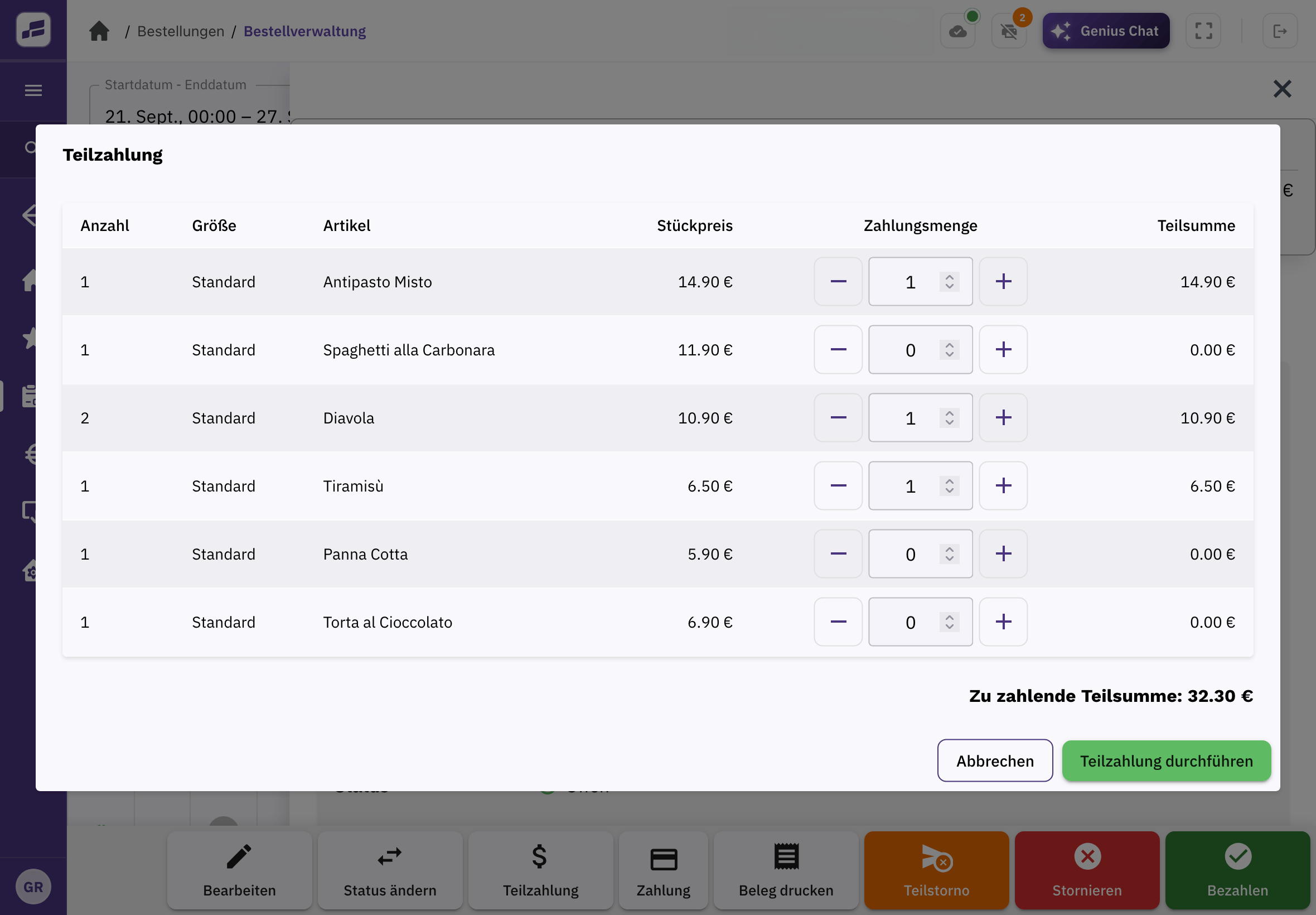
POS Starter already lets you settle individual items or specific amounts separately.
With Restaurant & Service Starter, you can take orders and payments at the table. Pro adds separate baskets and bills for several groups at one table.
It stays open on the order and can then be paid separately.
This feature is planned. For now, your team handles the payment.
With Tap to Pay, you can accept contactless payments on a compatible iPhone or Android smartphone. You don’t need an extra card reader. Alternatively, use a connected payment terminal. Card payments incur payment fees; any additional hardware is purchased separately.
Try FoodGenius for 30 days to see how you can split bills and take payments right at the table. All you need to get started is your email address.