POS system for hospitality

Where your business comes together.

With FoodGenius, you take orders, split bills and accept cash or cashless payments, including contactless. A cash book, end-of-day closing and transferring your POS data for accounting are all included.

A member of staff uses the tablet POS while a customer at the counter has her card ready. AI-generated restaurant scene. Il Giardino is a fictional example restaurant. AI-generated restaurant scene. Il Giardino is a fictional example restaurant.

From “to take away, please” to your end-of-day close.

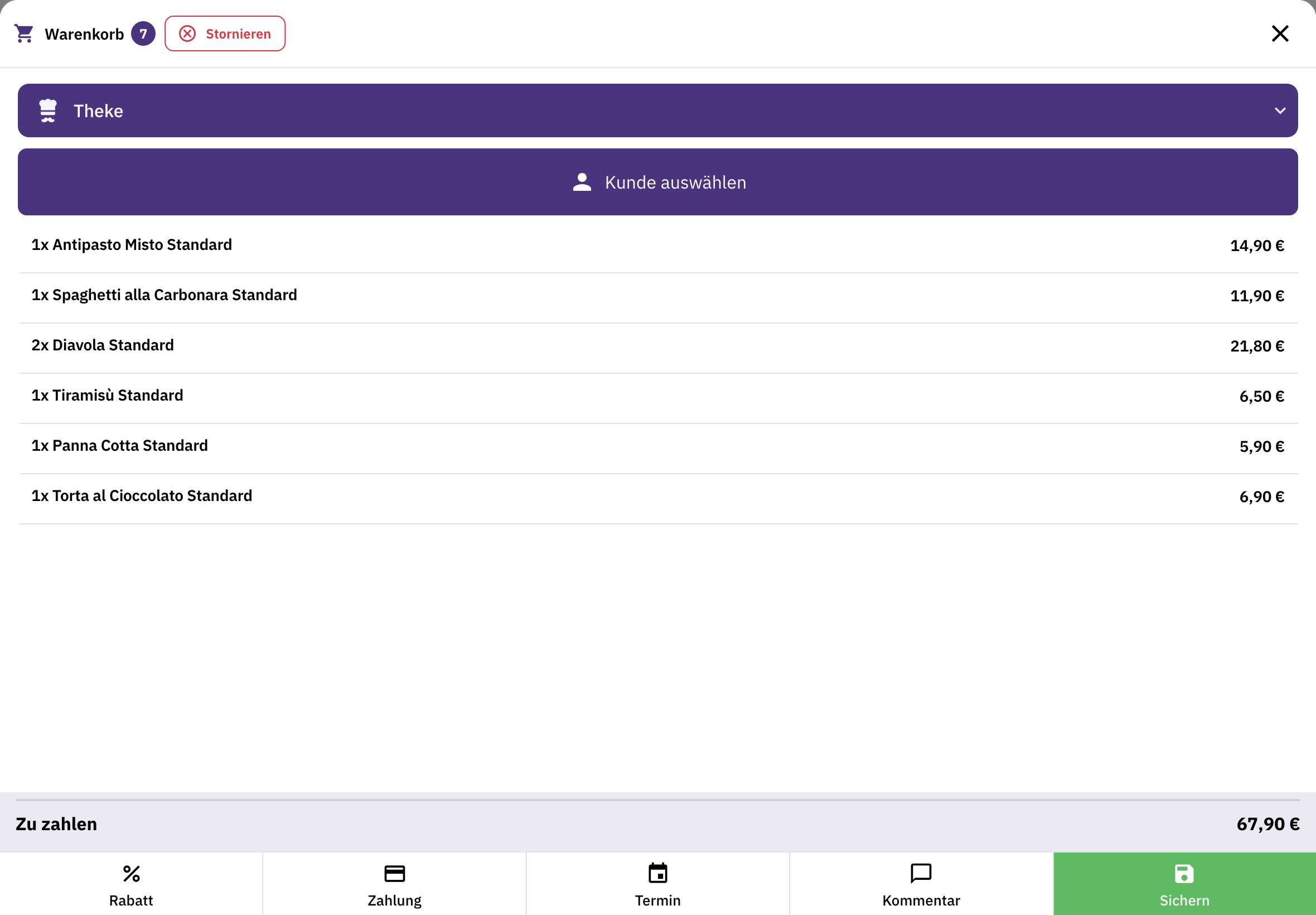
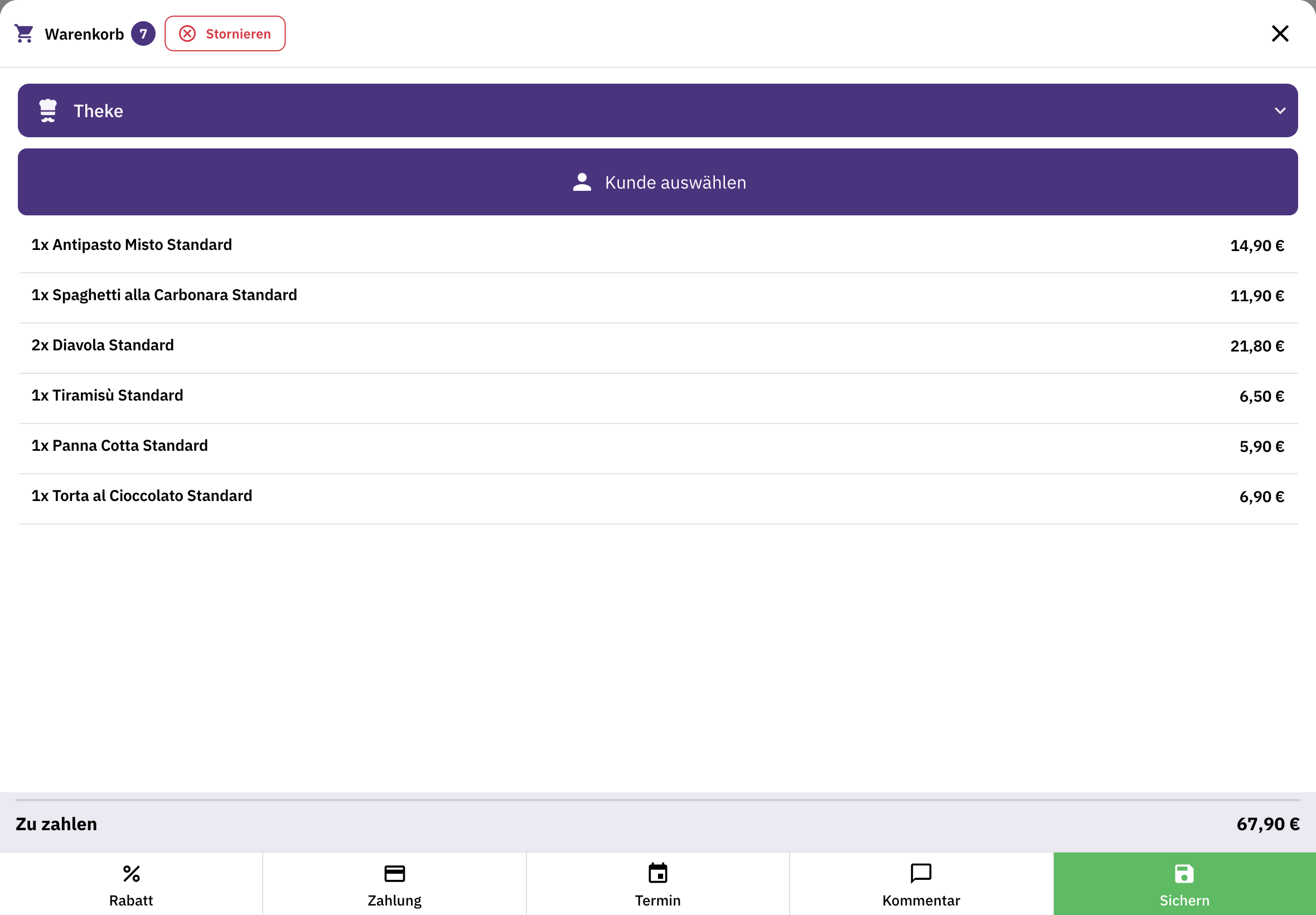
FoodGenius basket for counter sales with dishes, total amount and options for payment, scheduling and comments.

Take the order.

Choose the items and assign the order to the right service area, such as the restaurant or pickup.
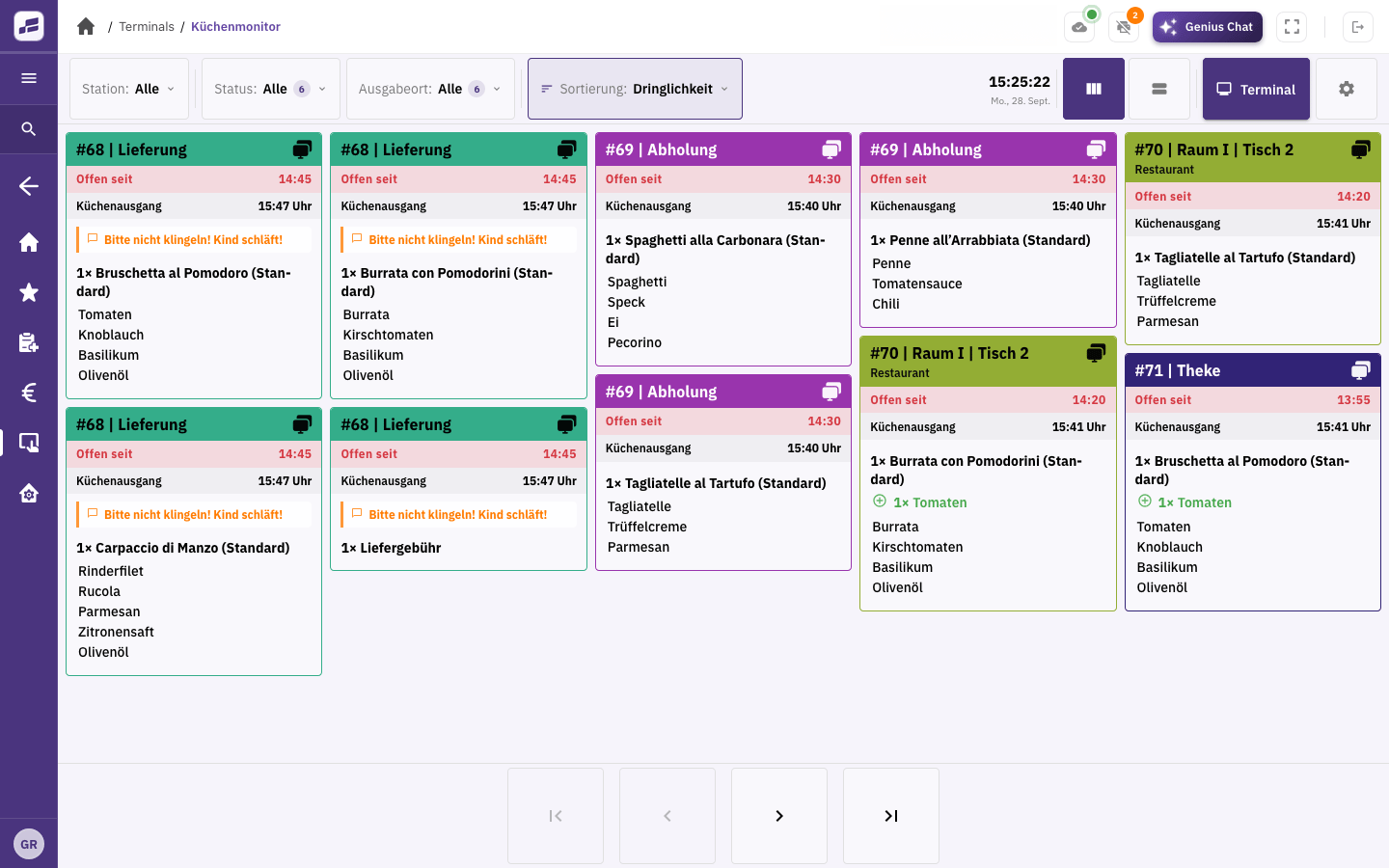
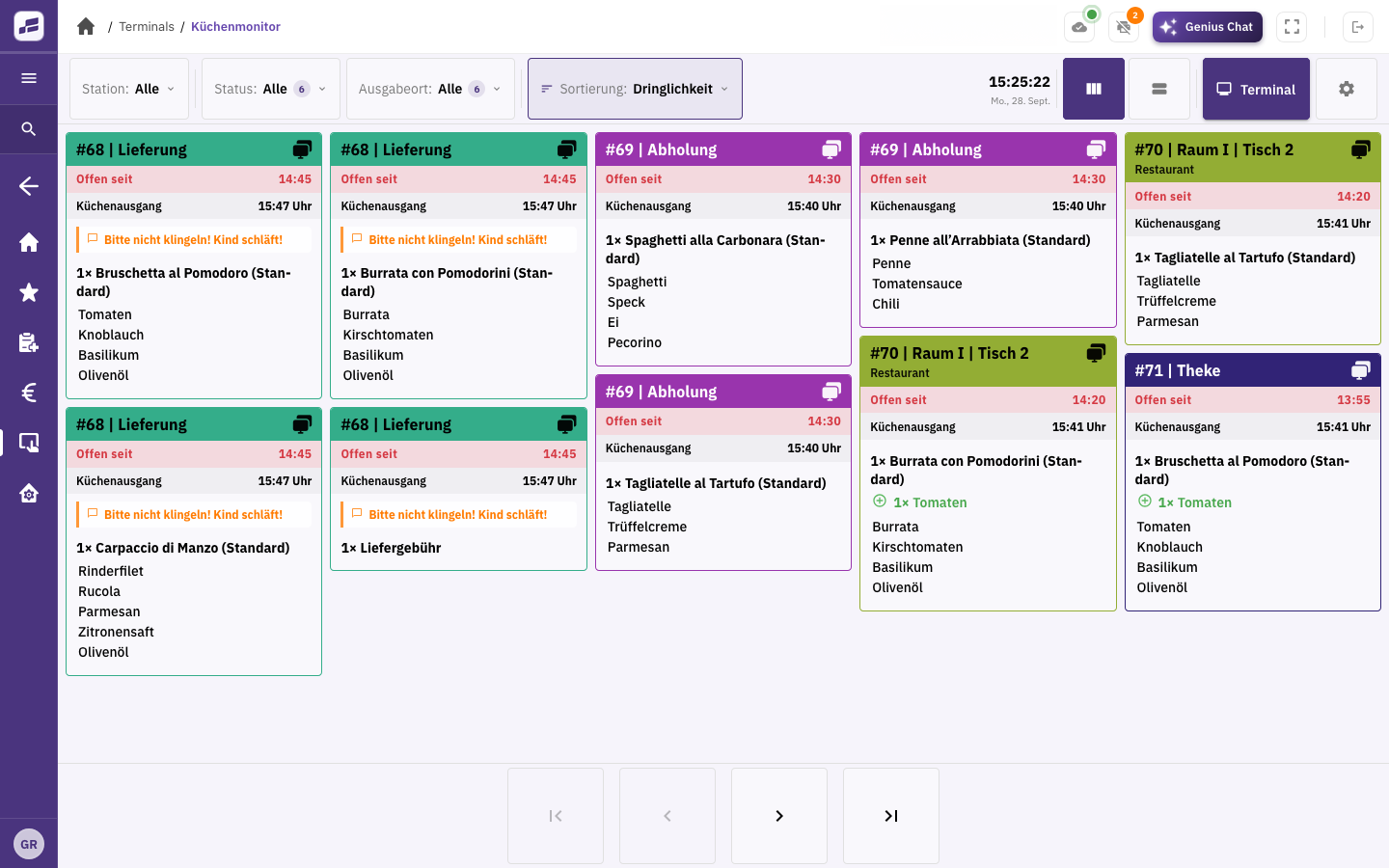
FoodGenius kitchen display showing delivery, pickup and restaurant orders, with dishes, times and special requests.

Keep the kitchen informed.

The order arrives on the kitchen display or as a printed kitchen ticket.
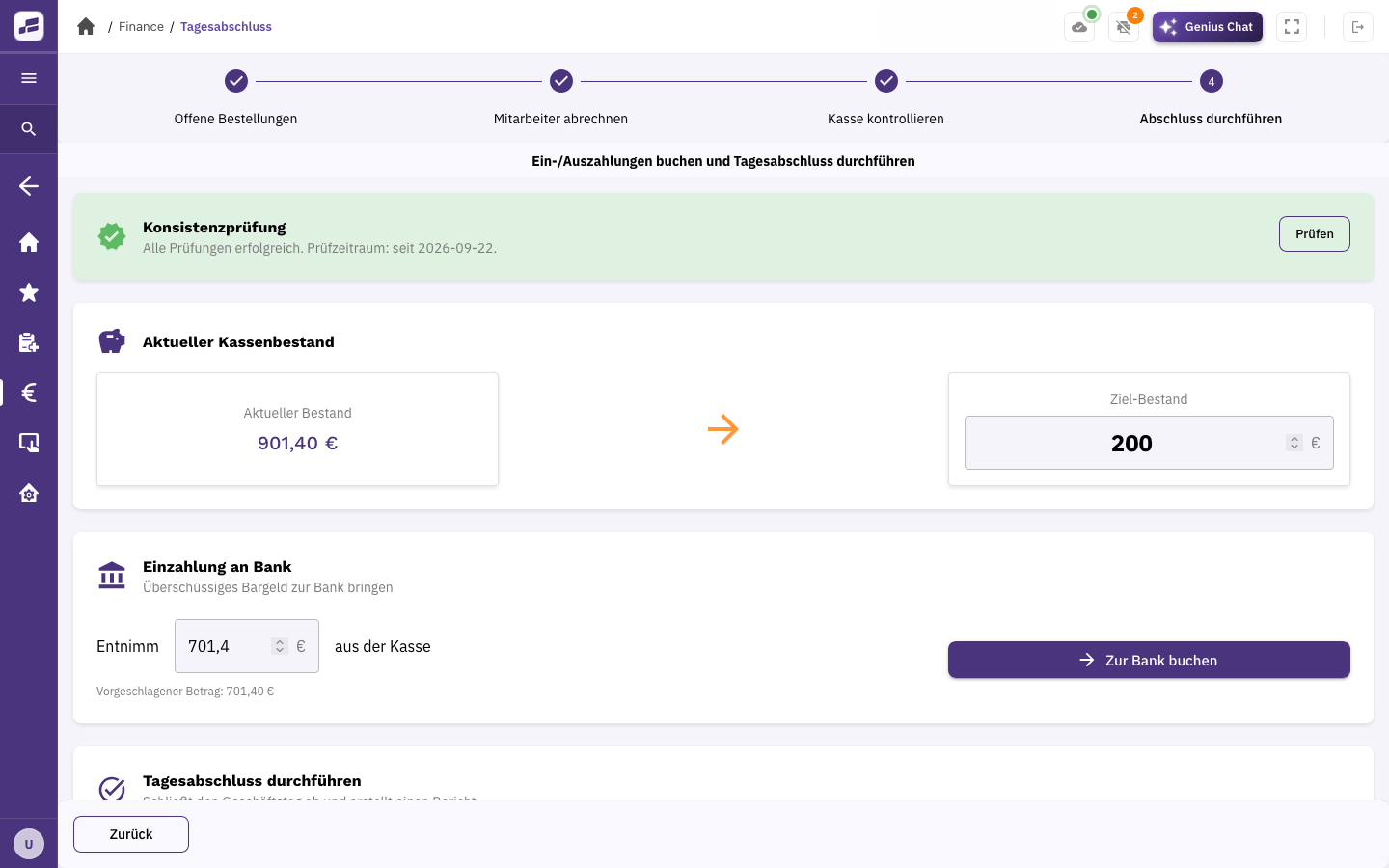
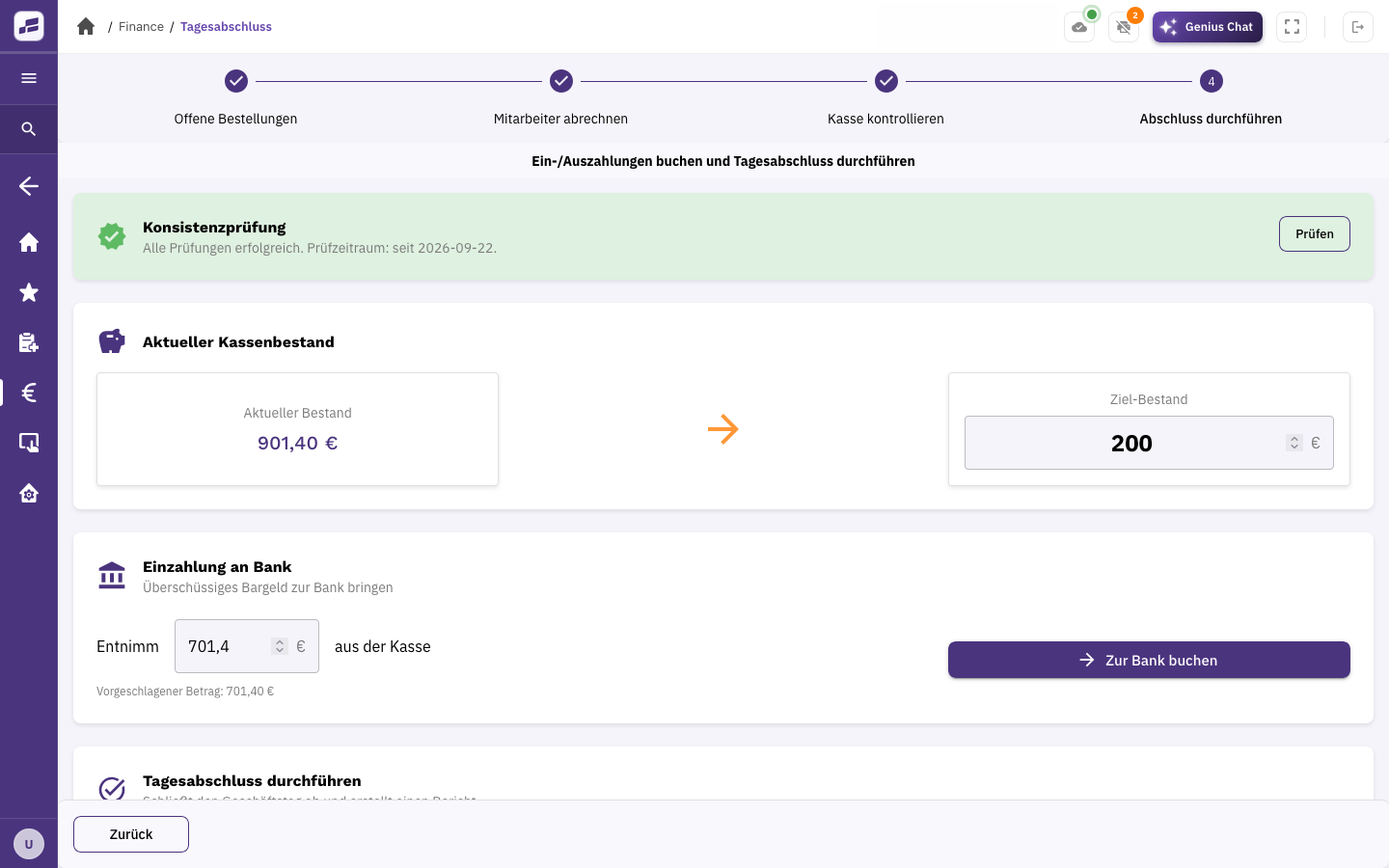
FoodGenius end-of-day closing with checks, current cash balance, target balance and an option to record a bank deposit.

Settle the bill and close the accounts.

Open the order to take payment. At the end of the day, FoodGenius guides you through open orders, staff cash-ups and checking the till balance.

You bring the flavour. FoodGenius handles the bill.

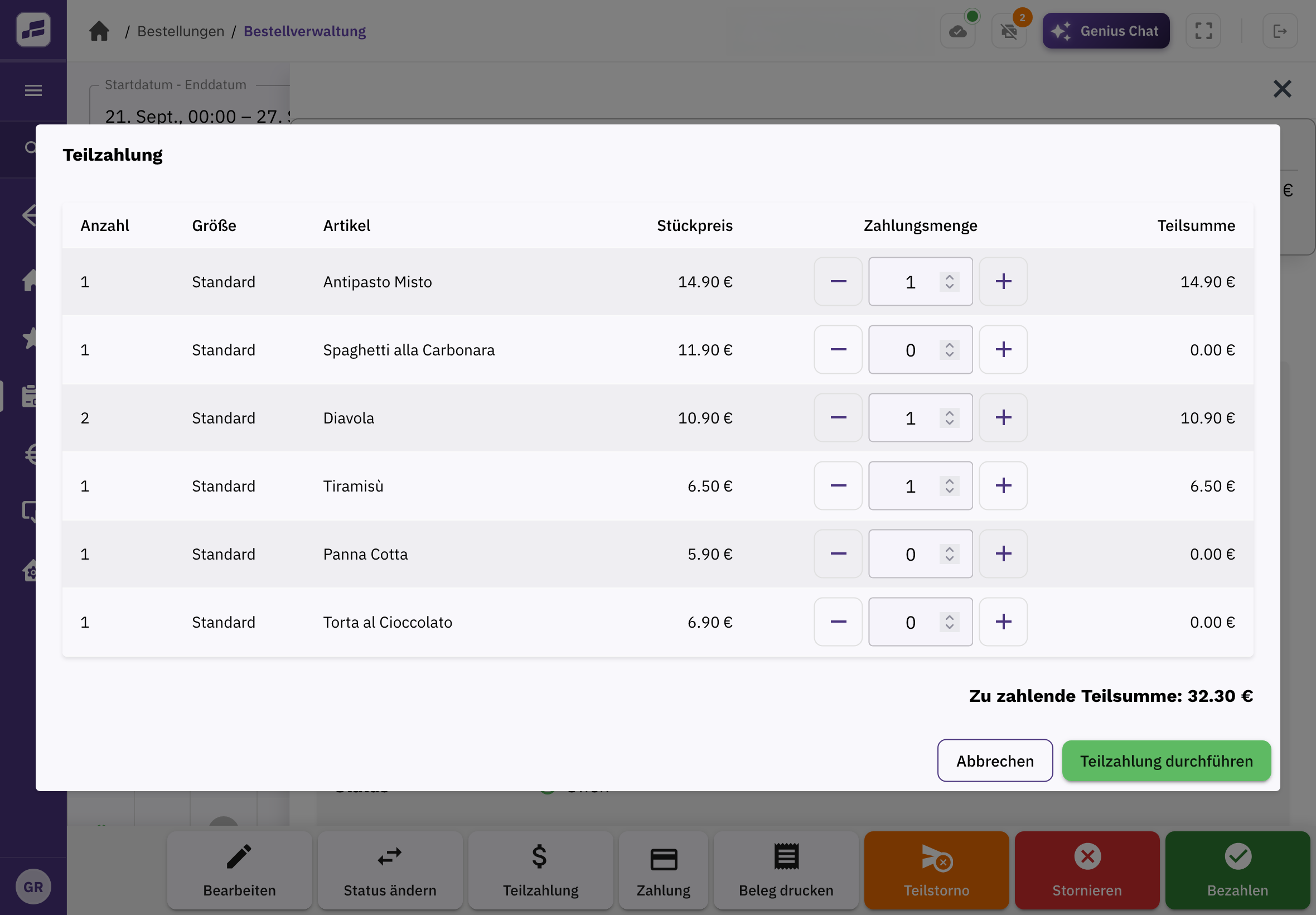
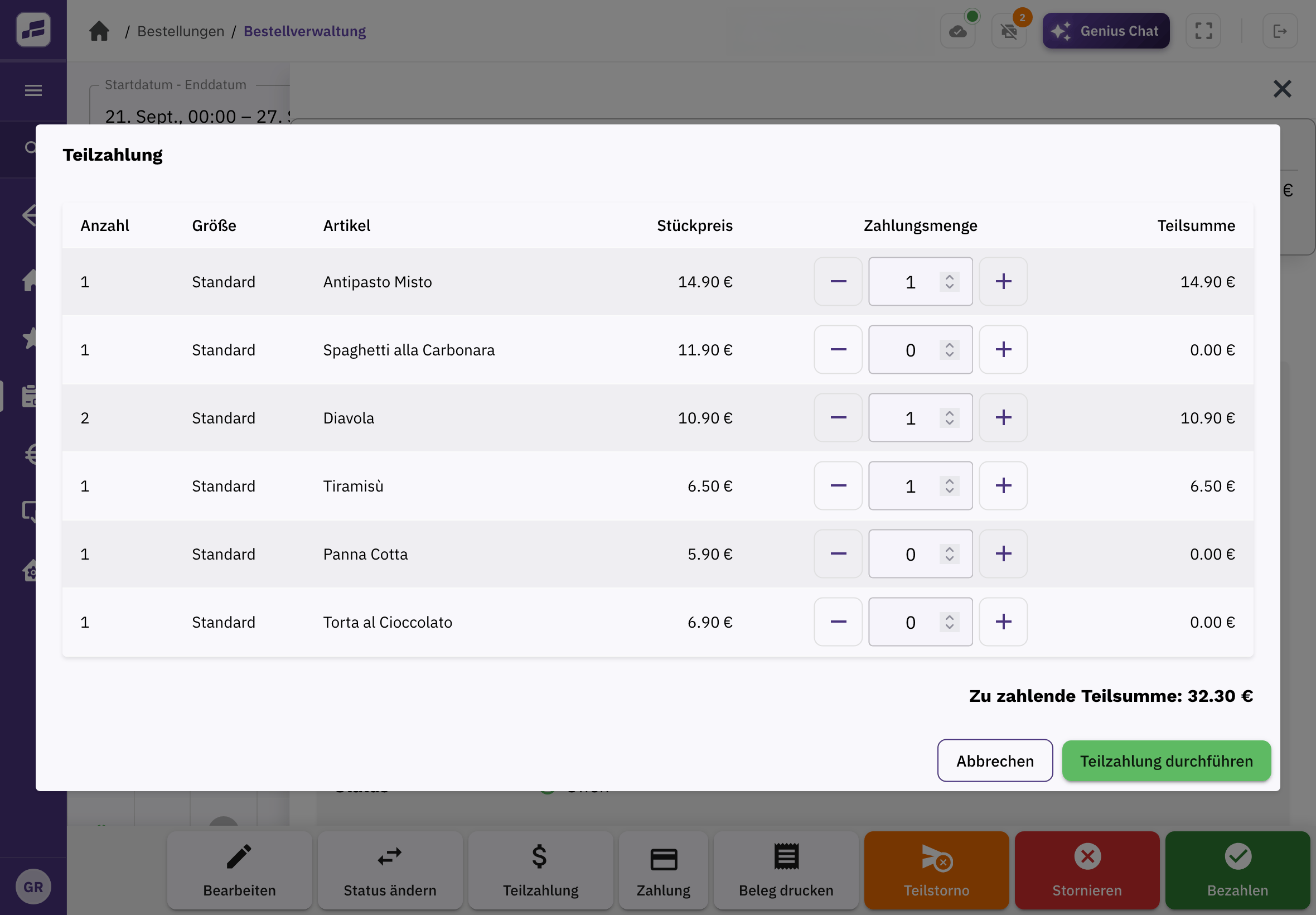
Your guests can pay together or separately, with cash or cashless methods, including contactless. You can settle individual items or part of the bill and see what’s still outstanding. Apply discounts directly to the order and issue a receipt for business dining expenses if needed.
Your phone has a second job.

With Tap to Pay, you can accept contactless payments directly on your compatible iPhone or Android smartphone. You don’t need an additional card reader. Take payment wherever your guest is.

Your POS does more than take payments.

Your menu. Your team.

Manage items, prices, images and allergens in one place. Set your team members’ tasks and access rights.

Every item on the right kitchen ticket.

Choose which items appear on each kitchen ticket. Check the print status and reprint tickets when needed.

Close the day with everything in order.

FoodGenius guides you through open orders, staff cash-ups and checking the till balance. Save the completed end-of-day report as a PDF or have it sent automatically by email.

Prepare your accounting records.

Record your cash transactions in the cash book. Pass your accounting data to your tax adviser in DATEV format. Or send it directly via the DATEV integration.

Returning guest recognised. Order ready to go.

When a returning guest calls, FoodGenius recognises the number and opens their details. Add previous orders back to the basket with one click.

Discount applied. Tip recorded.

Give discounts per order or on a schedule through offers. Record tips directly at payment.

Your POS. The right fit for your business.

You can use as many POS stations and printers as you need on every plan. Compare Starter and Pro on the pricing page. Book your plan directly in FoodGenius.

Your POS is just the start.

Much of what you need around your POS is already included in Starter.

Table service.

Organise tables and areas, take orders at the table and take payment right where your guests are.

Your guests order online.

Your guests order directly from you in your own online shop.

Keep track of your numbers.

Analyse your sales and look up past end-of-day reports. With Pro, you build your own dashboards and use AI reports.

Before you get started

What else would you like to know?

Can I use FoodGenius just as a POS?

Yes. You simply use the features you need. Besides the POS, table service, delivery management, an online shop and a kitchen display are part of it too.

How many POS stations can I use at the same time?

Every plan includes an unlimited number of POS stations and printers. You buy the devices separately.

Which devices and operating systems does the POS run on?

FoodGenius runs on devices and operating systems with an up-to-date browser. The layout adapts to your screen size, whether you’re using a computer, tablet or smartphone.

We help you connect existing printers. For card payments, you use Adyen card terminals. You buy new devices separately; they aren’t included in the software price.

Do I need a finished menu to get started?

No. You can add your items one by one or upload your menu directly to FoodGenius. The AI extracts the available information. You check the details and fill in anything that’s missing.

What happens after the 30-day trial?

You choose your plan: Starter or Pro. If you book a plan during the trial, you keep all 30 trial days and billing only starts afterwards. Without a plan, your features will be locked, and nothing is booked automatically. With a plan, you keep working without interruption. So you can already use the trial in your day-to-day business.

What additional costs apply on top of the plan price?

The plan price doesn’t include hardware, payment and usage costs, such as card fees or additional minutes for AI phone ordering, or custom integrations.

Can I get help with setup and day-to-day use?

Yes. During your 30-day trial, our support team helps you free of charge, including with setup and data transfer. After that, you can reach us Mon–Fri 9 am–6 pm: by email and ticket on Starter, and also by phone and WhatsApp on Pro. Outside these hours, our paid emergency support service is available. The Pro plan also includes a 60-minute personal onboarding session.

What happens if my internet connection goes down?

FoodGenius needs an internet connection. You can’t continue using the POS without a connection to the server.

Adyen terminals have a built-in Lifelong SIM. Where mobile coverage is available, they can keep working over the mobile network if your business’s internet connection goes down. Other devices still need their own internet connection.

How are orders and payments synchronised after a connection drops?

Orders are stored centrally on our servers and retrieved from there. Payments are also processed on the server. If the connection drops, orders already saved and records of payments already processed remain available on the server. FoodGenius accesses this data again once the connection is restored.

Where is my business data stored, and how is it backed up?

Your business data is hosted by Hetzner at its Nuremberg, Falkenstein and Helsinki locations. We back it up continuously. An additional backup is stored at a different location in a separate VSE NET data centre.

Automatic recovery is checked regularly through automated restore tests.

Hetzner and VSE NET have ISO/IEC 27001:2022-certified information security management systems for their hosting and data centre services. See the Hetzner ISO certificate (PDF) and the VSE NET ISO certificate (PDF).

Which printers and payment terminals are supported?

The following printers have been tested with FoodGenius:

  • METAPACE T-3 via a Raspberry Pi print client
  • Sunmi 80mm Kitchen Cloud Printer
  • Adyen S1F2, which can also be used as a printer

Adyen S1F2 and Adyen S1F4 are supported as payment terminals.

Put FoodGenius to the test. For 30 days.

We know what we can do. Soon, you will too.

Start with your email address. In the next step, you can upload your menu directly to FoodGenius.