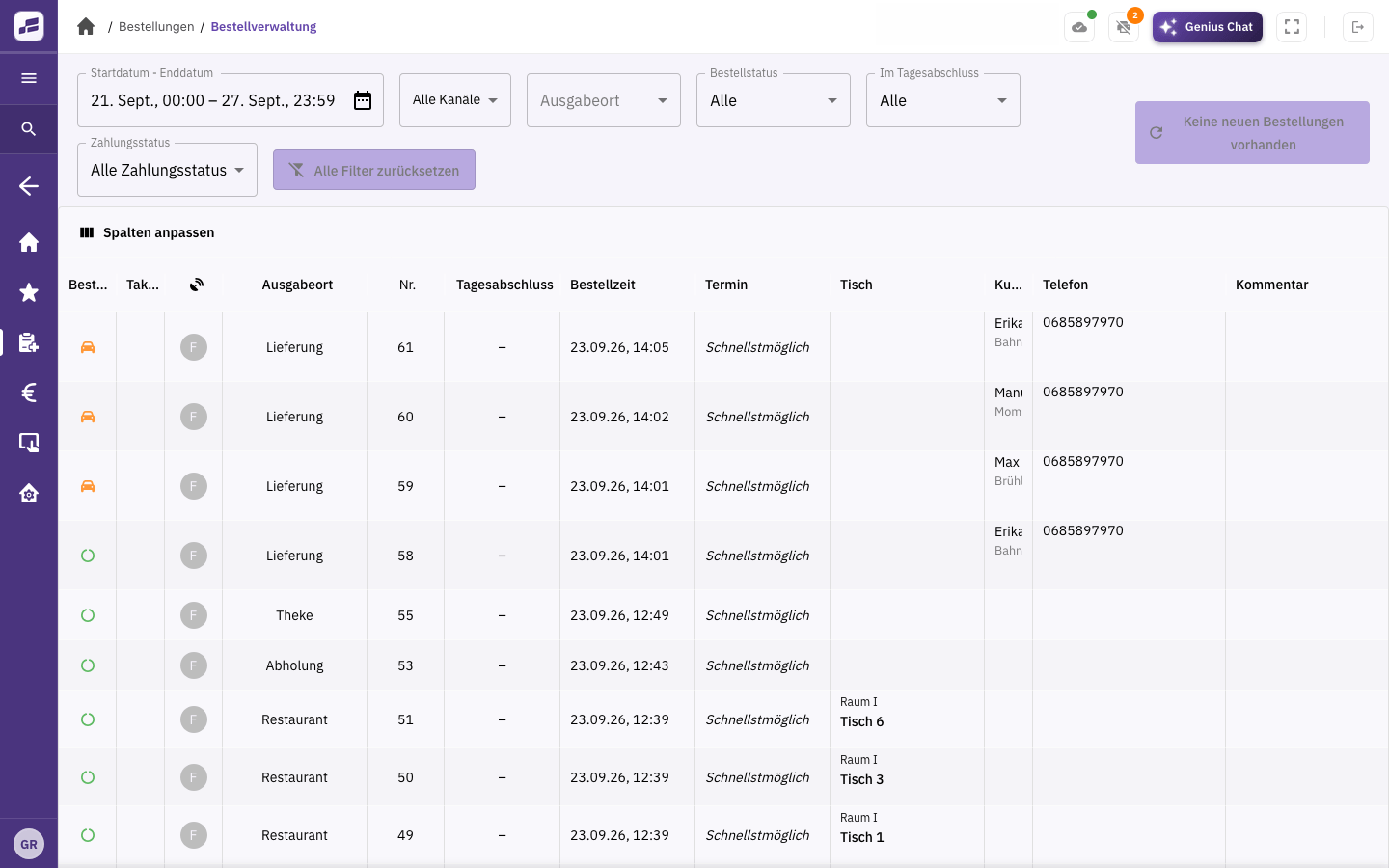
Accept orders.
Orders from your shop go straight to your POS. You decide whether to accept them automatically or review and approve them first.
POS system & software for pickup and delivery
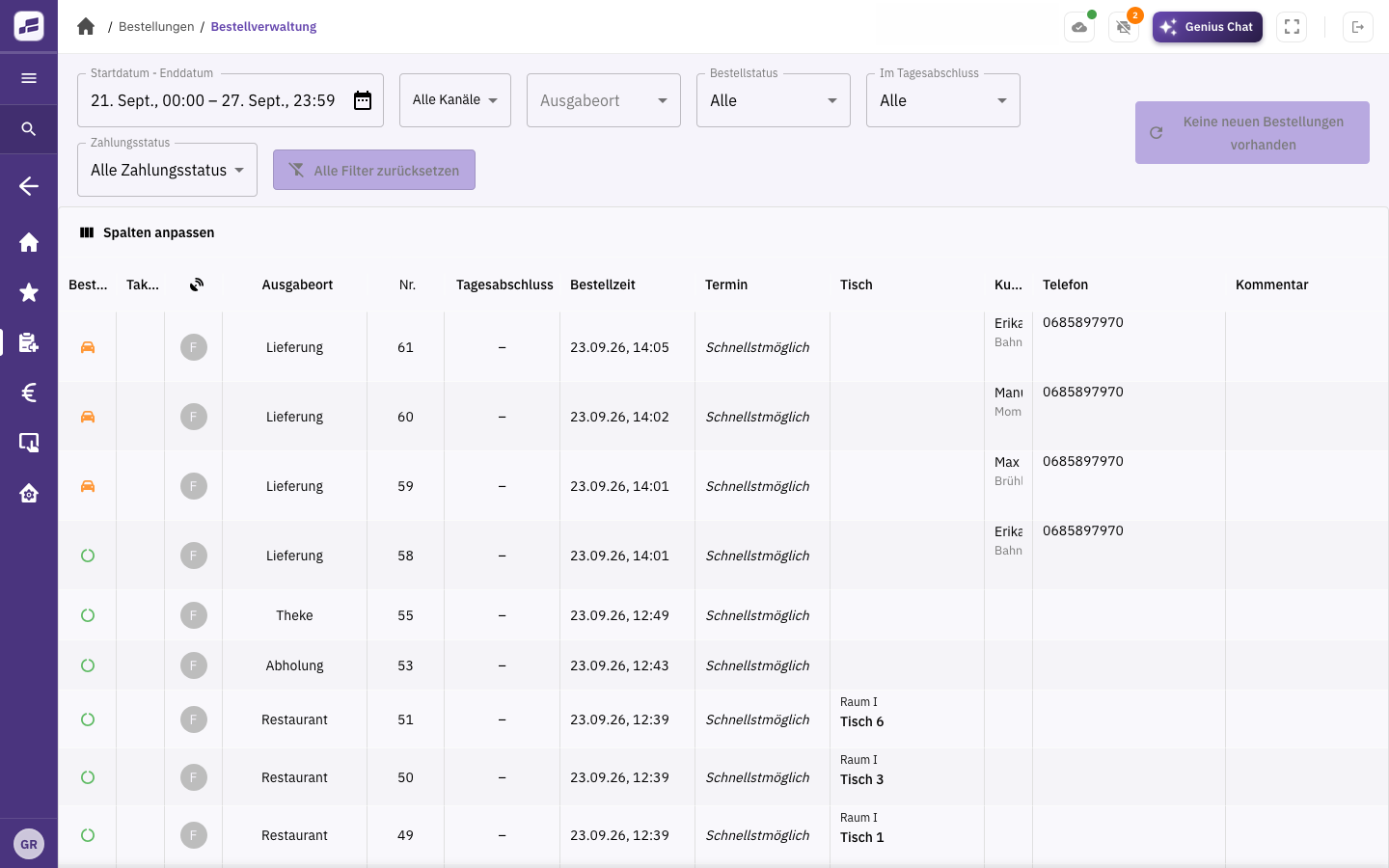
Orders from your online shop, guest app and connected delivery platforms come together in FoodGenius. Keep track of pickup and delivery, from receiving the order to handing it over.
Orders from your shop go straight to your POS. You decide whether to accept them automatically or review and approve them first.
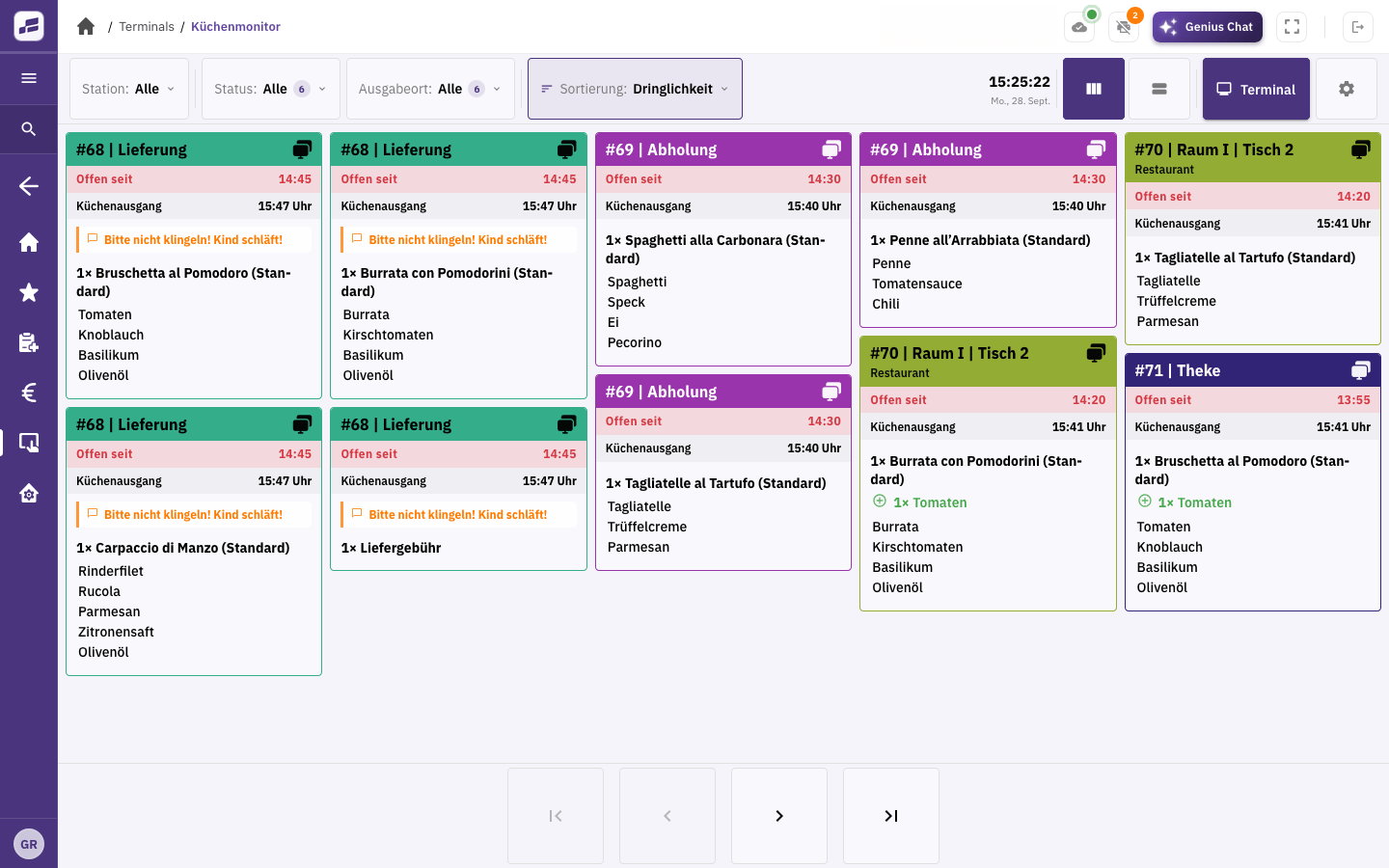
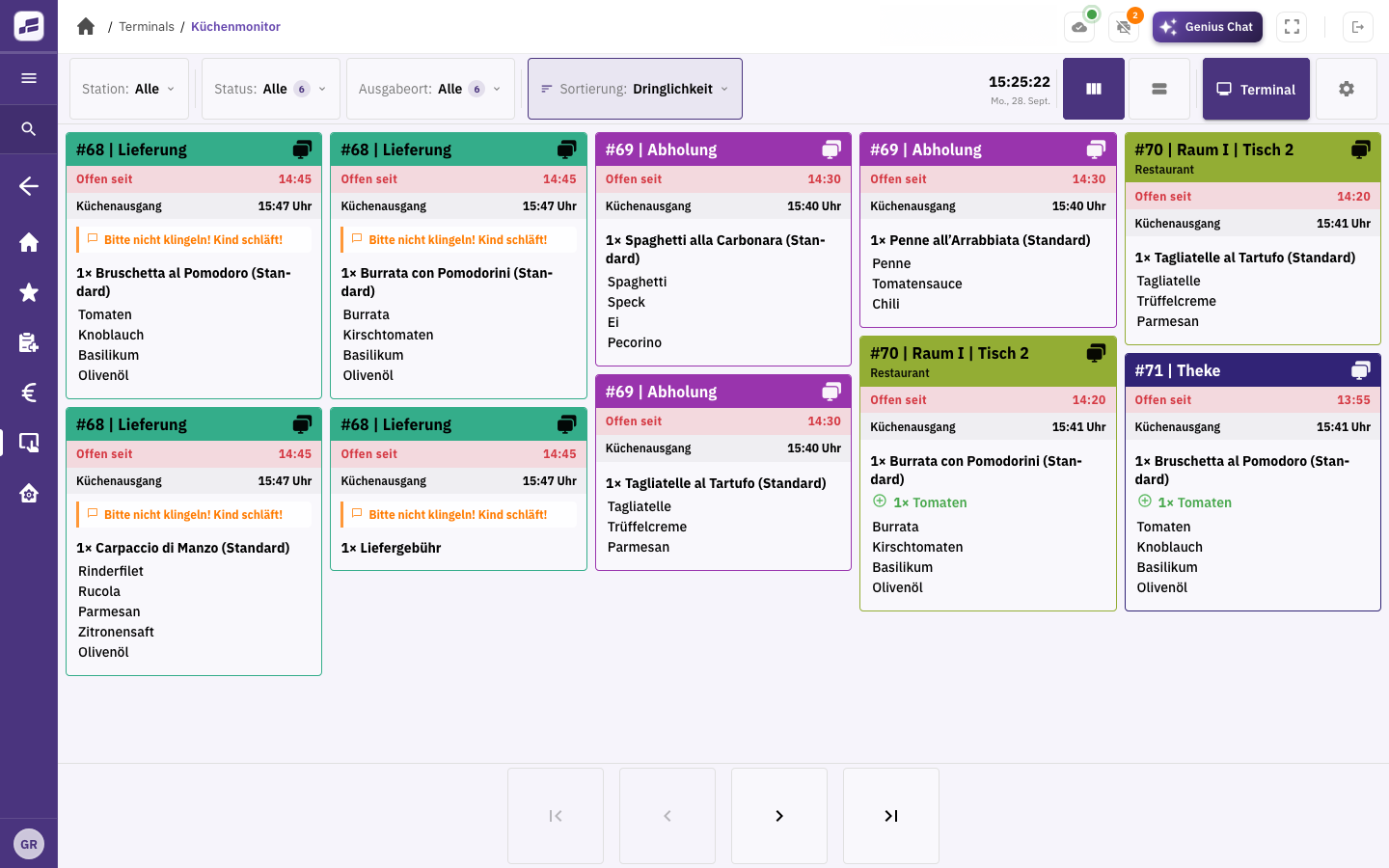
Your kitchen sees the dishes and special requests on the kitchen display or a printed kitchen ticket. Your team puts the order together for pickup or delivery.
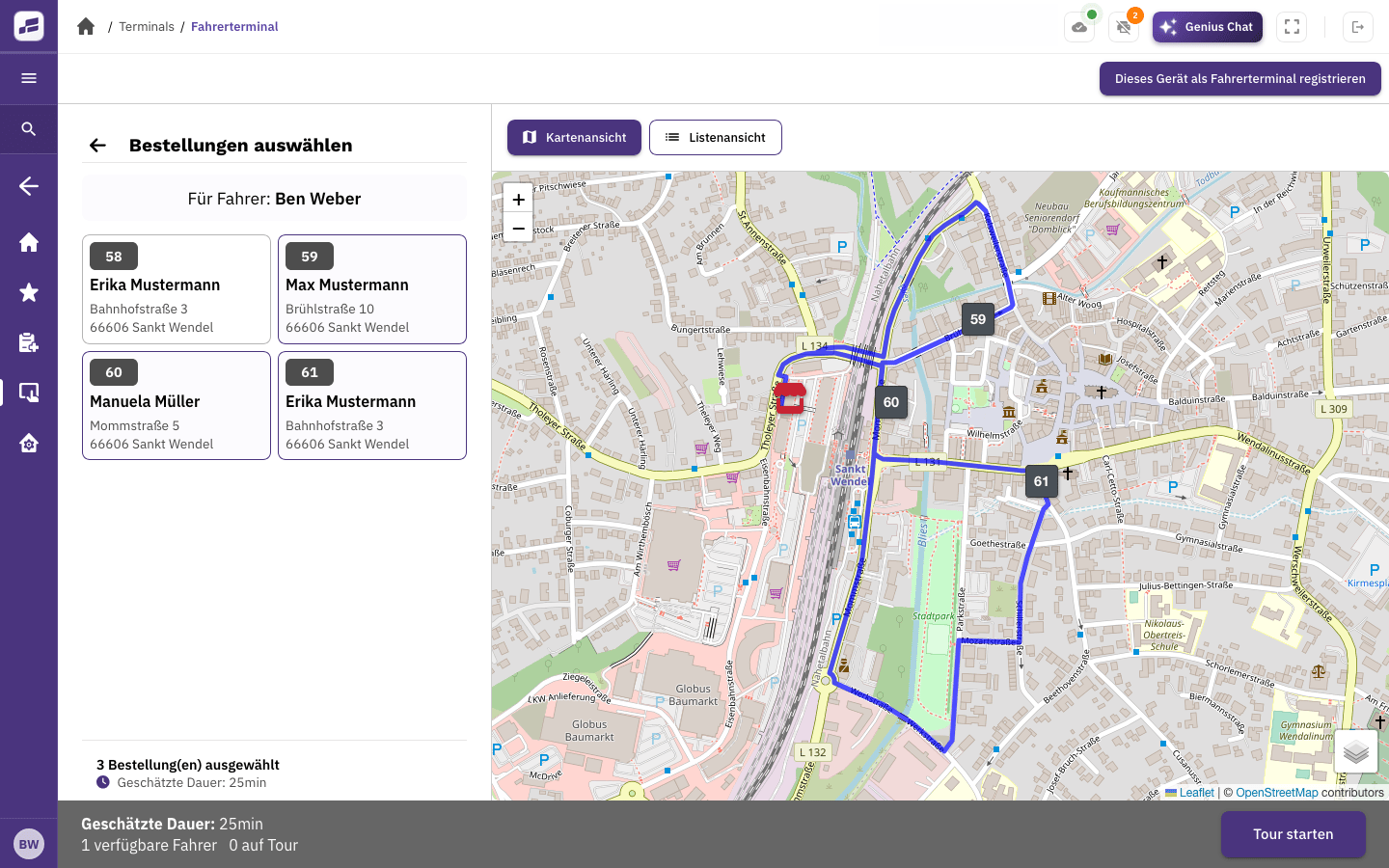
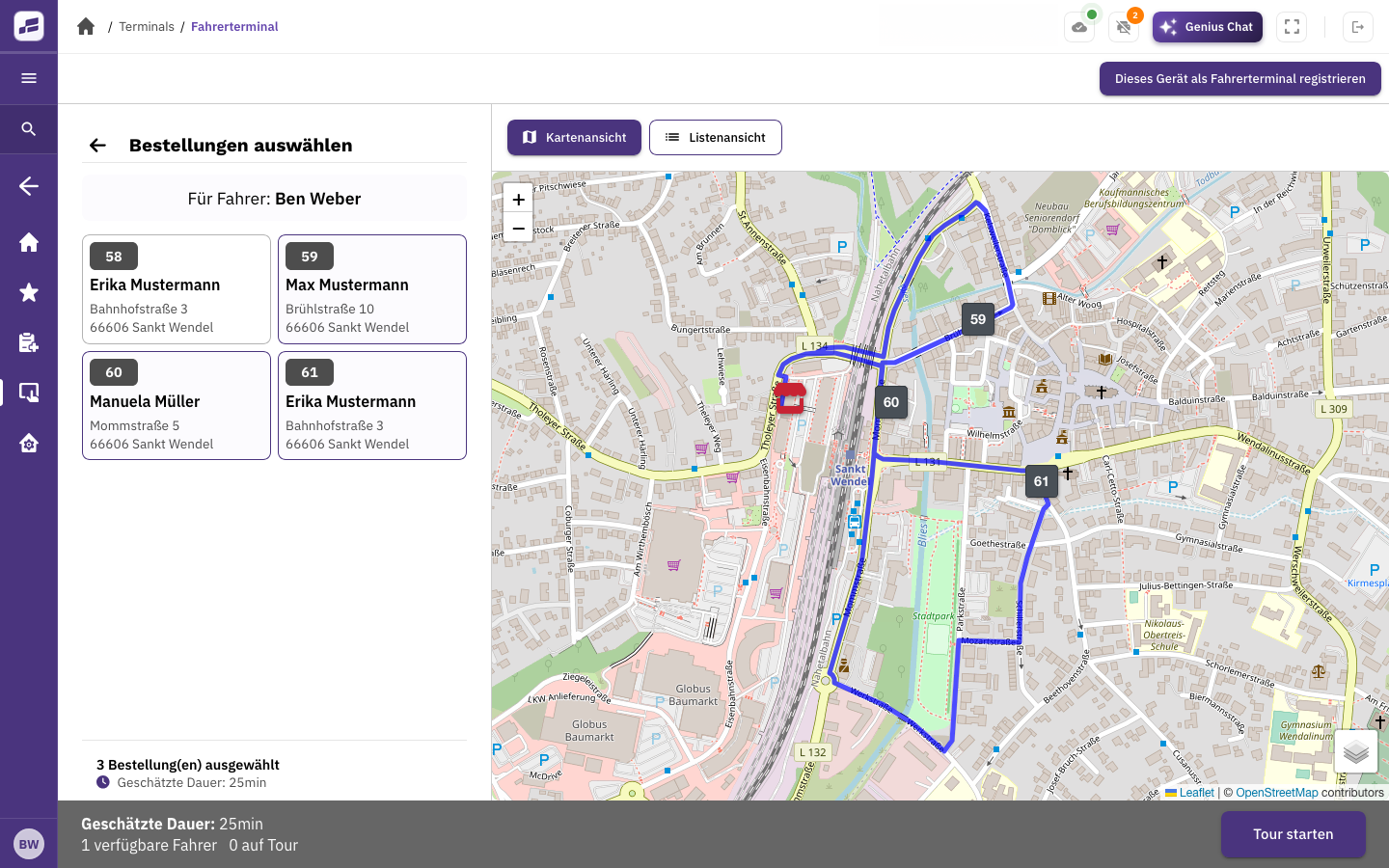
Your guest picks up their order, or your driver delivers it to them. The driver app shows assigned orders with the address, items and order total.
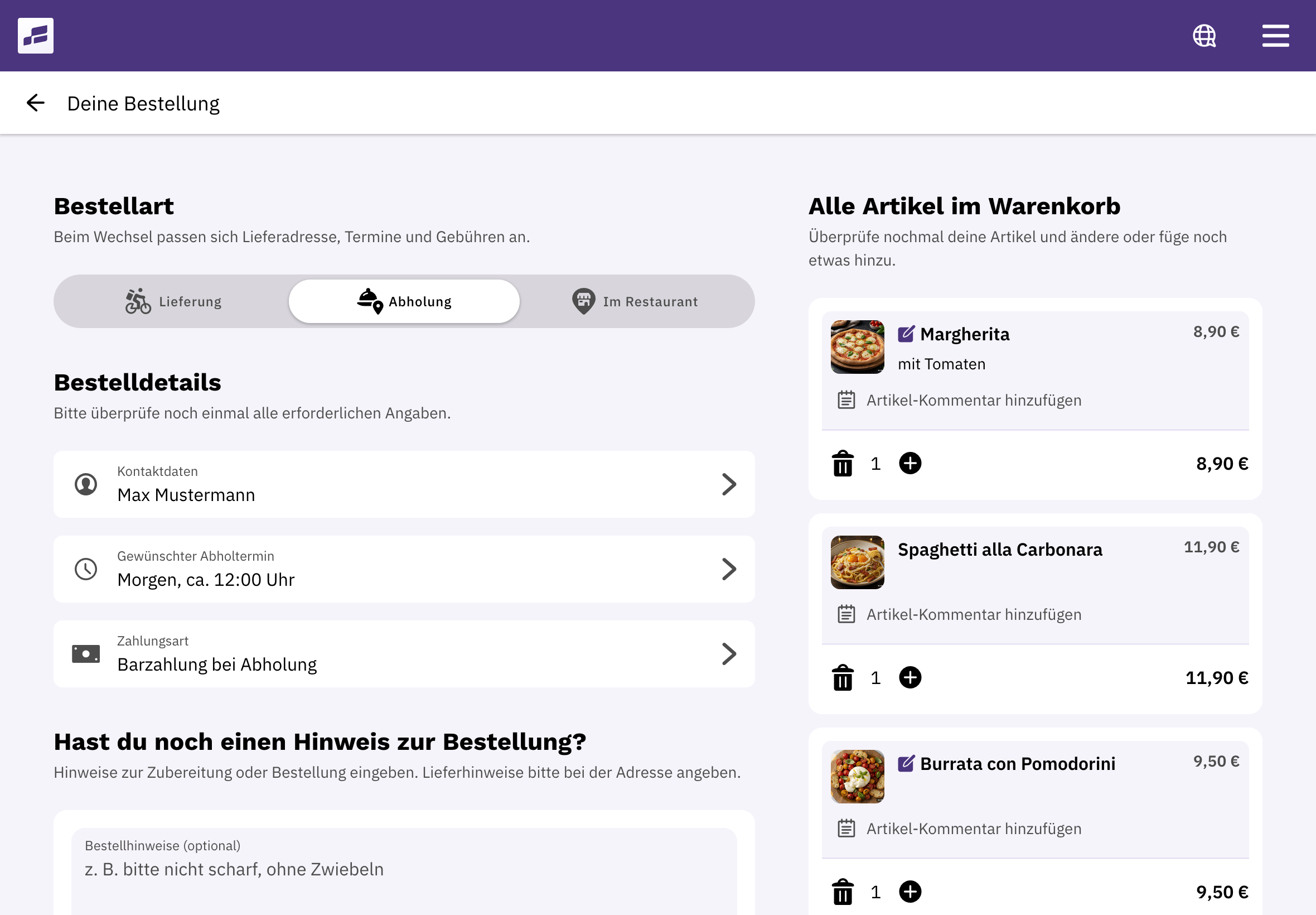
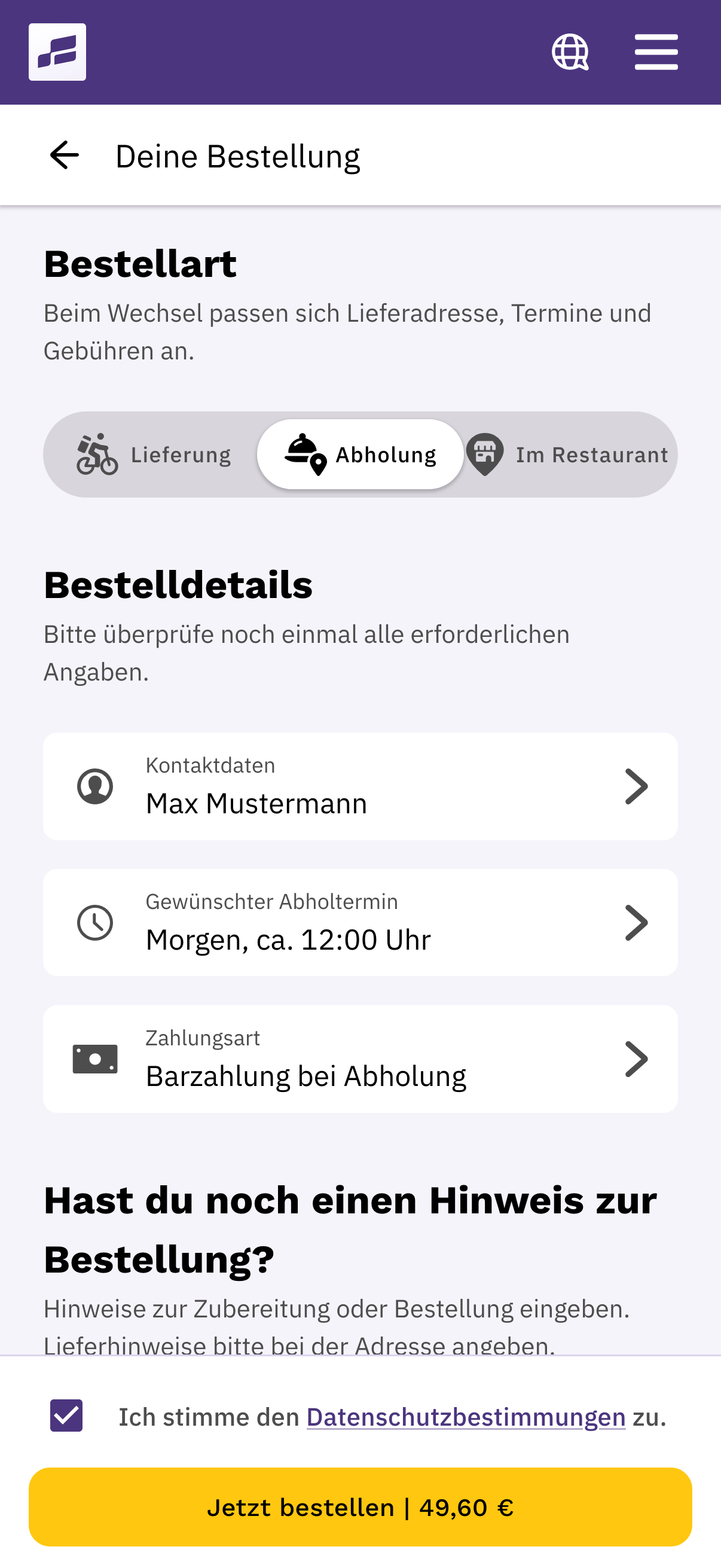
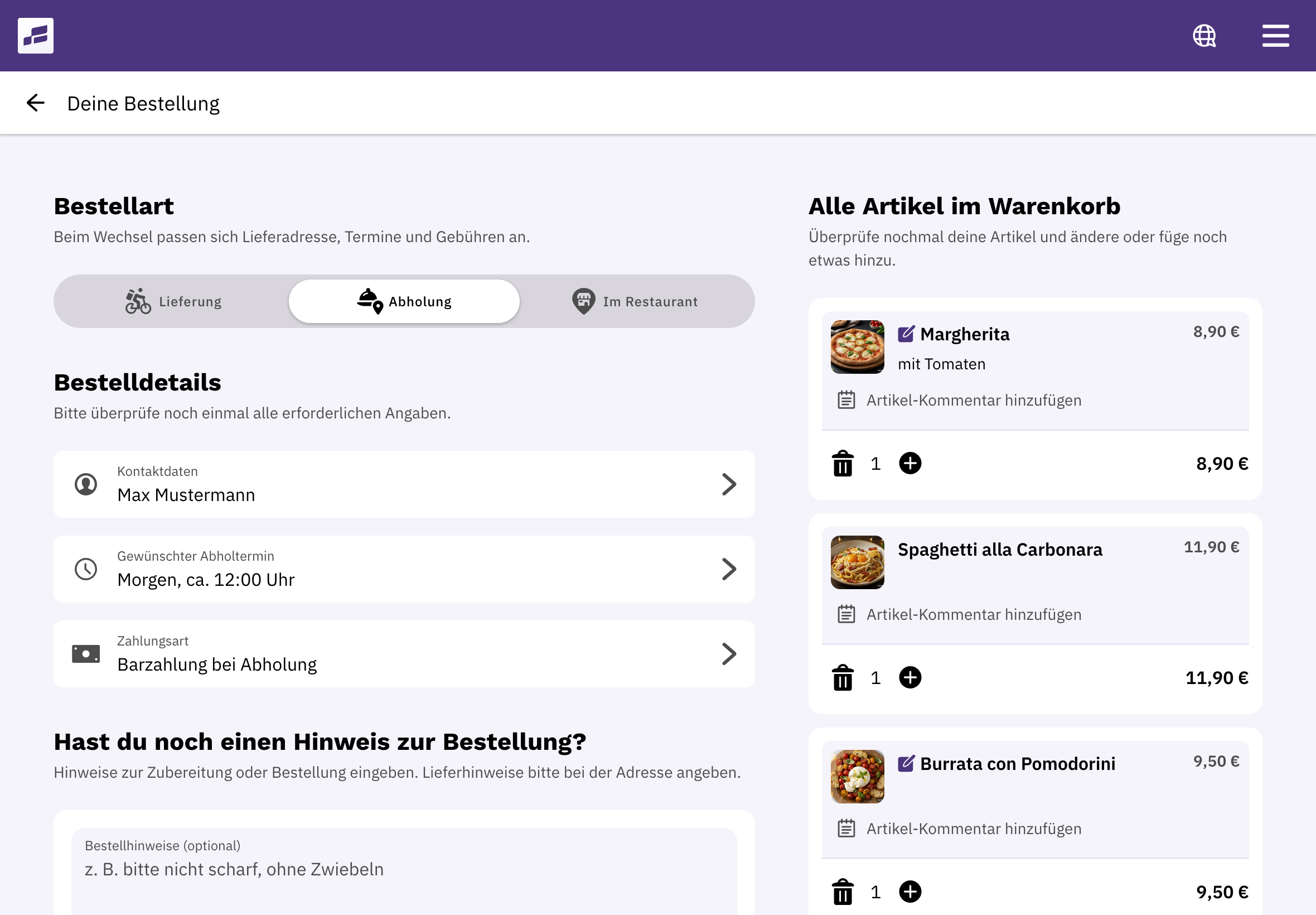
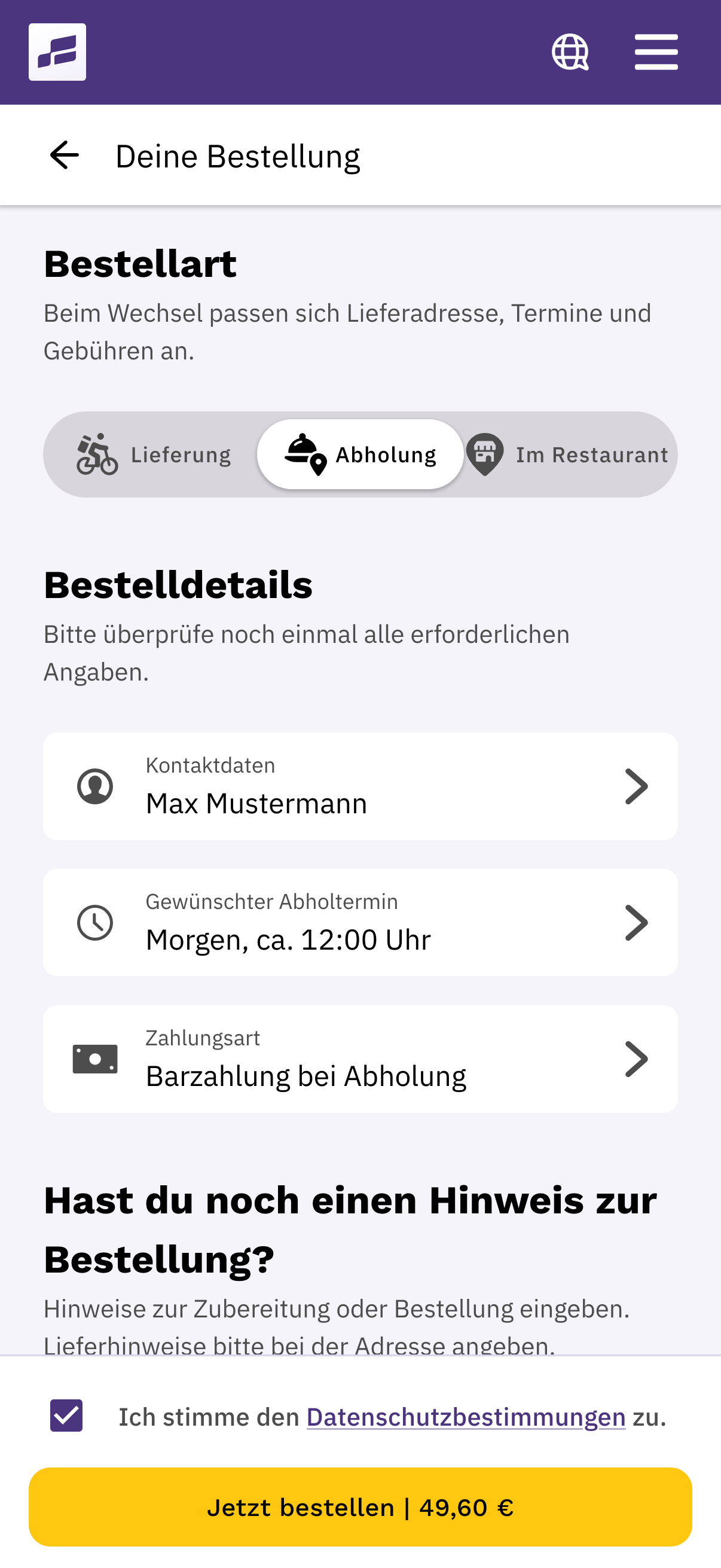
Your guests choose pickup or delivery, check the time and payment method, and place their order. The order confirmation summarises the details for them. You decide which time slots and payment methods to offer.
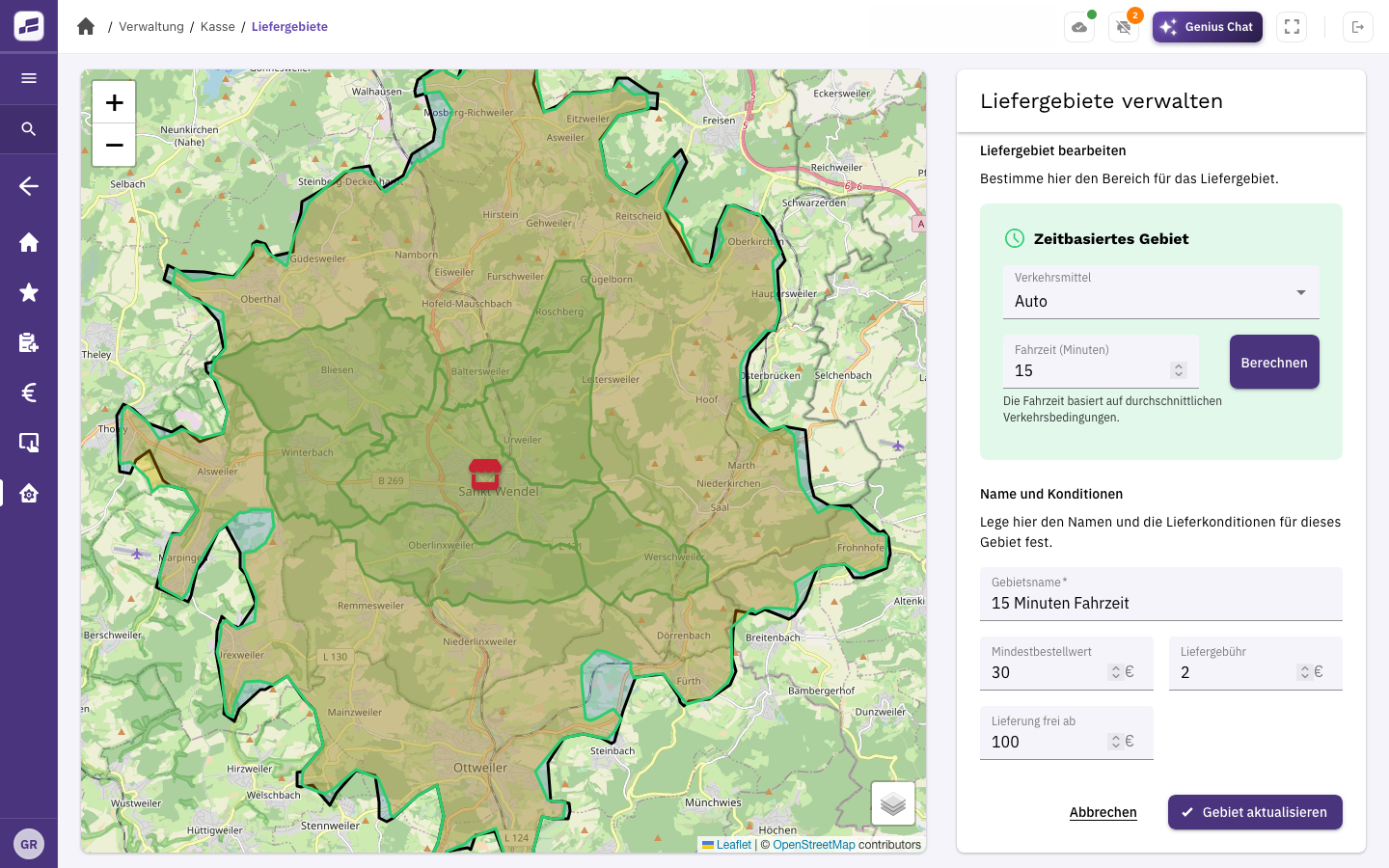
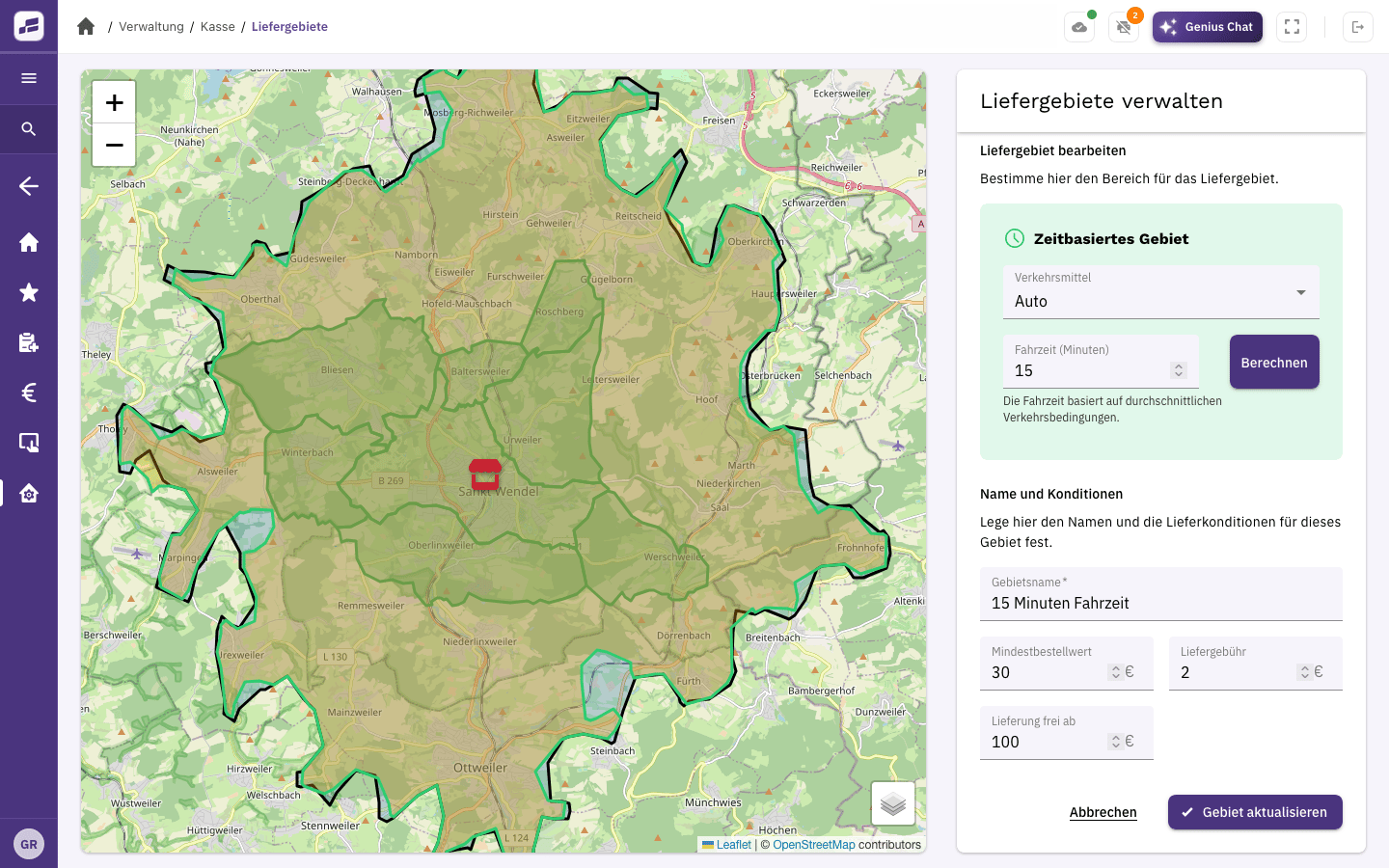
With the Delivery module, you set where you deliver, the minimum order values and delivery fees. Your drivers see their orders in the app and launch navigation to the guest’s address.
Items, orders and payments in one place. Plus a cash book and end-of-day closing.
For your own online orders for pickup or delivery. The guest app for iOS and Android is already included in Shop Starter.
For delivery areas, delivery fees and organising your drivers. You don’t need this module if you only offer pickup.
Orders from connected delivery platforms go straight to your FoodGenius POS. You handle them alongside your other orders, without having to type them in again.
Already available
Planned: Q4 2026
Planned
Planned
Connections are available through the Integrations module. After the trial, each integration costs €9 per month with monthly billing. Custom integration fees may apply. Order transfer is separate from delivery.
Before you get started
Yes. For online pickup orders, combine the POS with Online Shop & Guest App. Add the Delivery module later if you want to use your own drivers.
Define them by postcode, neighbourhood, travel time or radius, or draw them on the map yourself. You set minimum order values, delivery fees and the free delivery threshold for each area. FoodGenius checks whether the customer’s address falls within it.
They can see their assigned orders, open navigation in Google Maps and handle payments or partial cancellations directly in the driver view.
With Delivery Pro and above, you can see driver locations in real time, organise delivery runs and use the driver terminal on a PC too. Route optimisation, automatic grouping of delivery runs and fleet management are planned for Delivery Genius; this plan isn’t available yet.
Connect delivery platforms through integrations. Use AI Communication to take phone orders automatically. The trial includes 100 call minutes and a test number; we set up your own phone number once you’ve signed a contract. Manage your own drivers separately with the Delivery module.
Real-time tracking for guests is planned but isn’t available yet. This is separate from the driver locations already available in Delivery Pro.
All available modules and features for 30 days, with 24/7 support. Compare features and prices on the pricing page. Hardware, payment fees, additional usage and custom integrations may incur extra costs.
Try pickup and delivery for 30 days with your own menu. All you need to get started is your email address. Then upload your menu directly to FoodGenius.