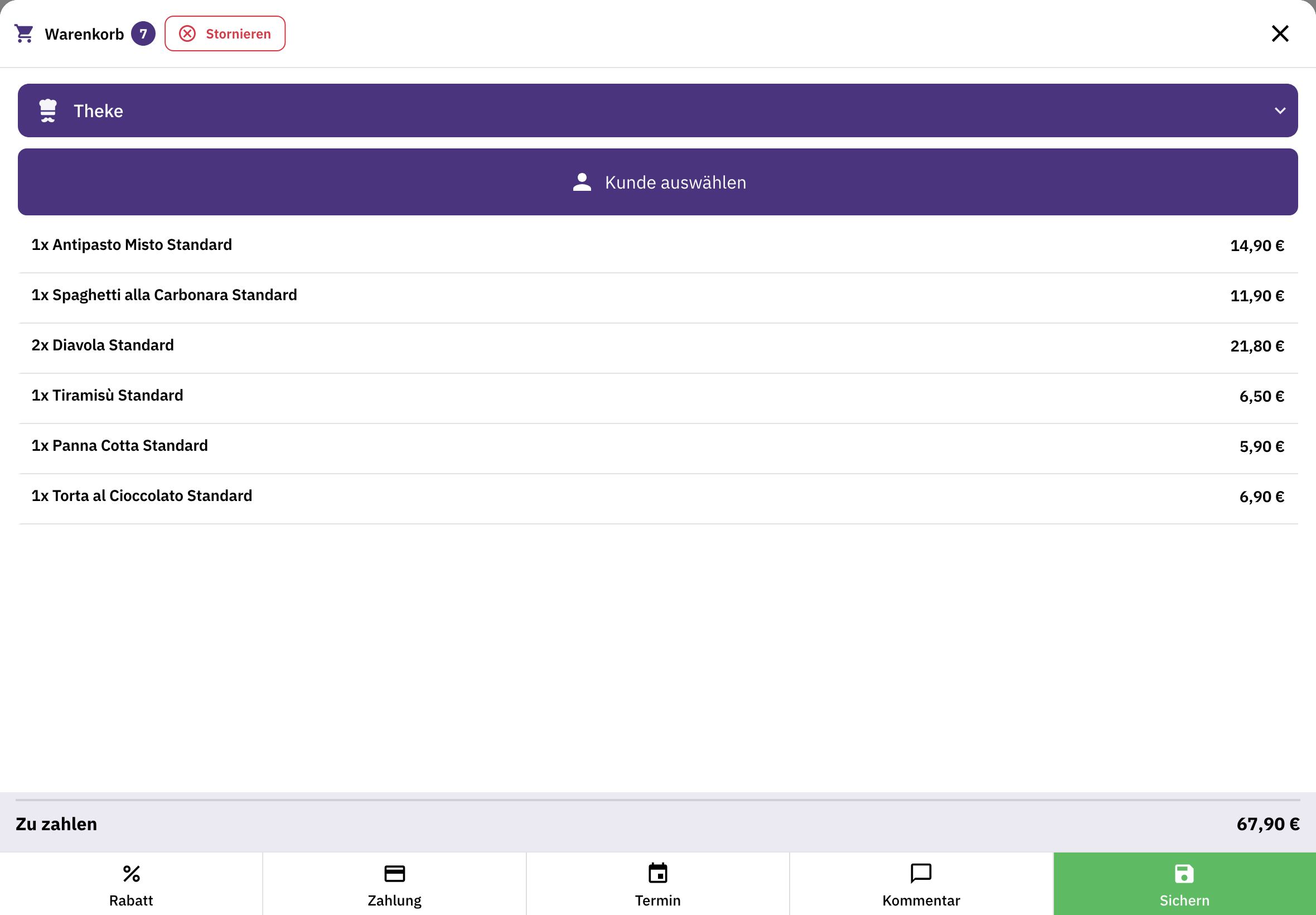
Take the order.
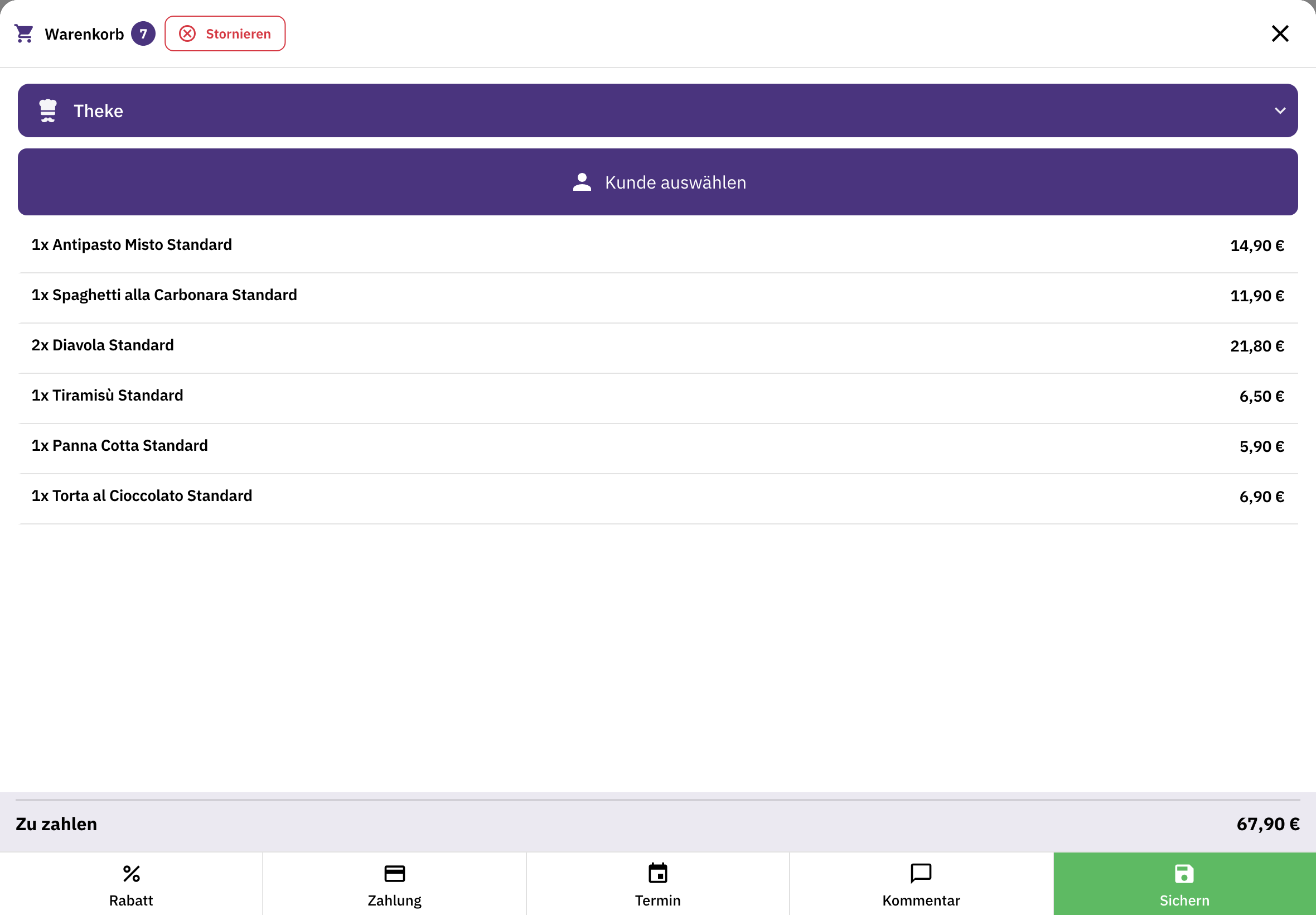
Choose the items and assign the order to the right service area, such as the restaurant or pickup.
POS system for hospitality
With FoodGenius, you take orders, split bills and accept cash or cashless payments, including contactless. A cash book, end-of-day closing and transferring your POS data for accounting are all included.
Choose the items and assign the order to the right service area, such as the restaurant or pickup.
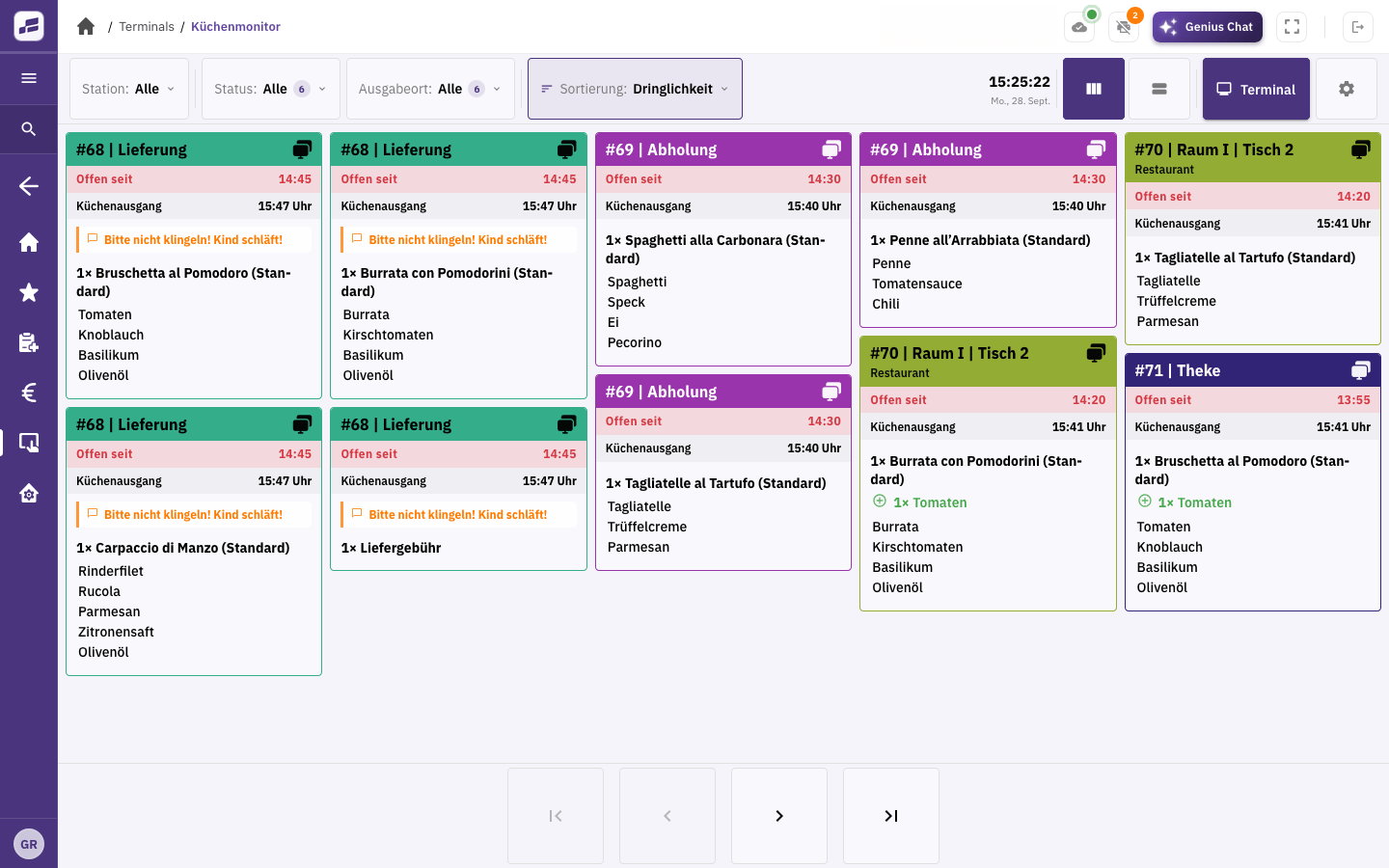
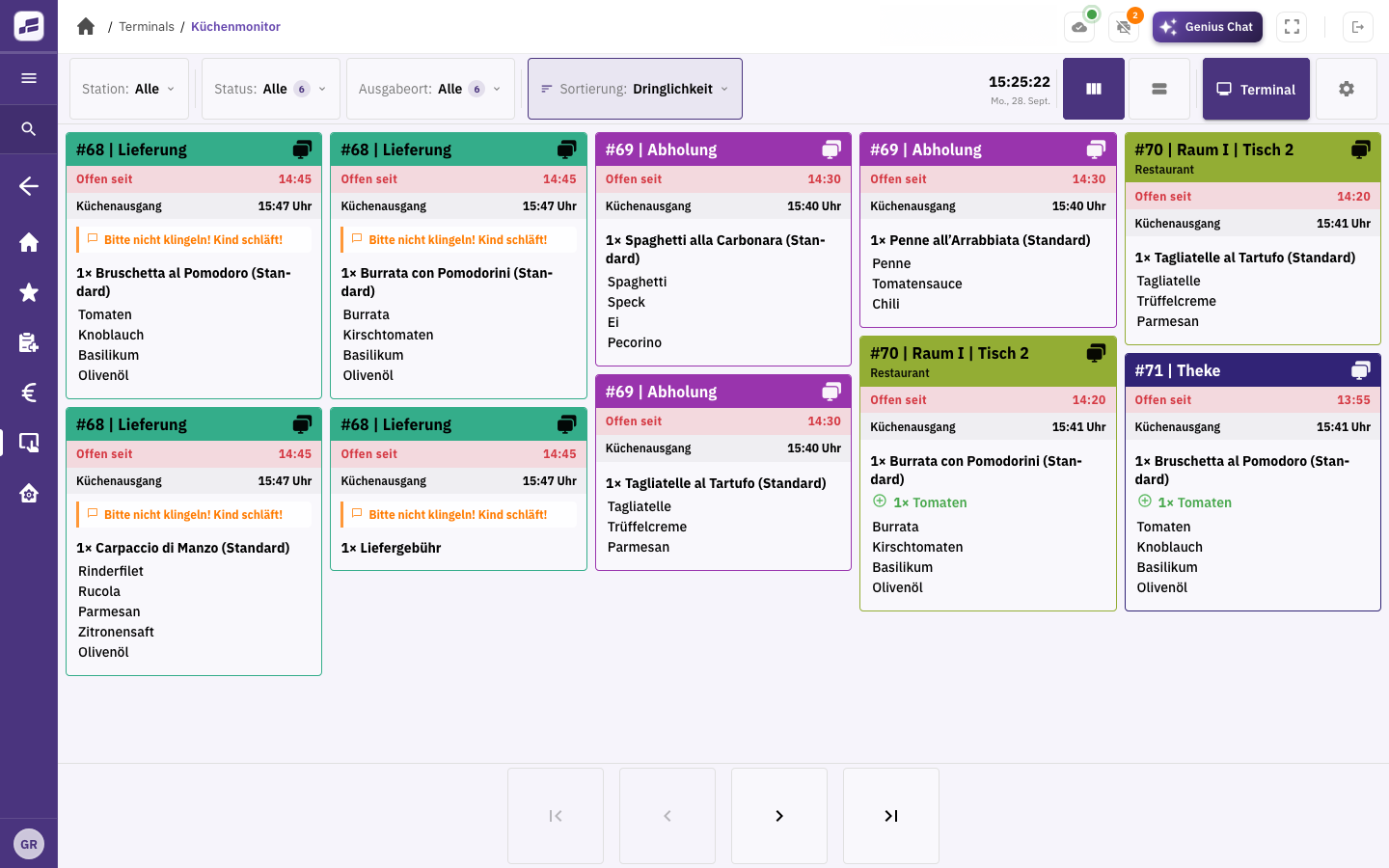
The order arrives on the kitchen display or as a printed kitchen ticket.
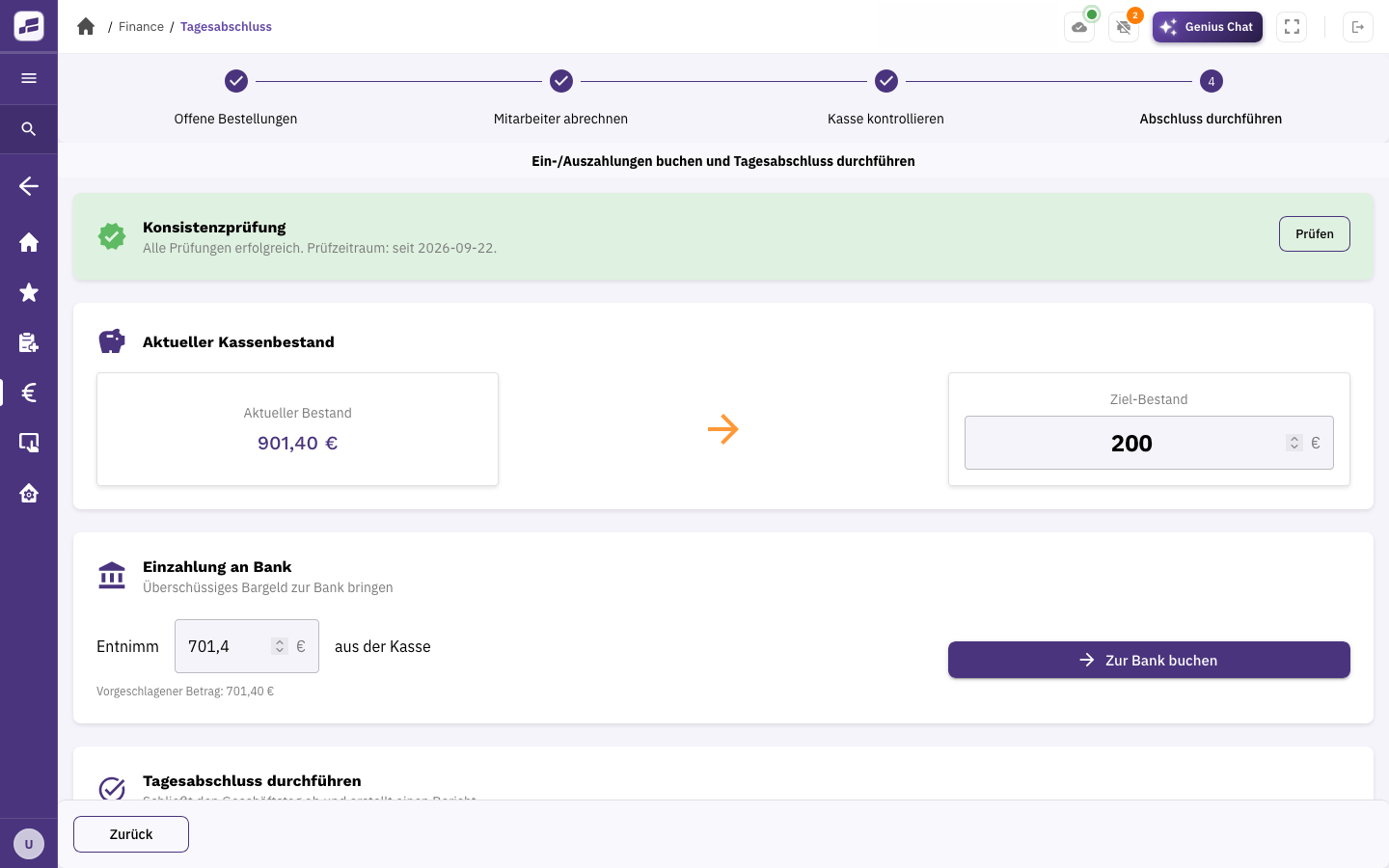
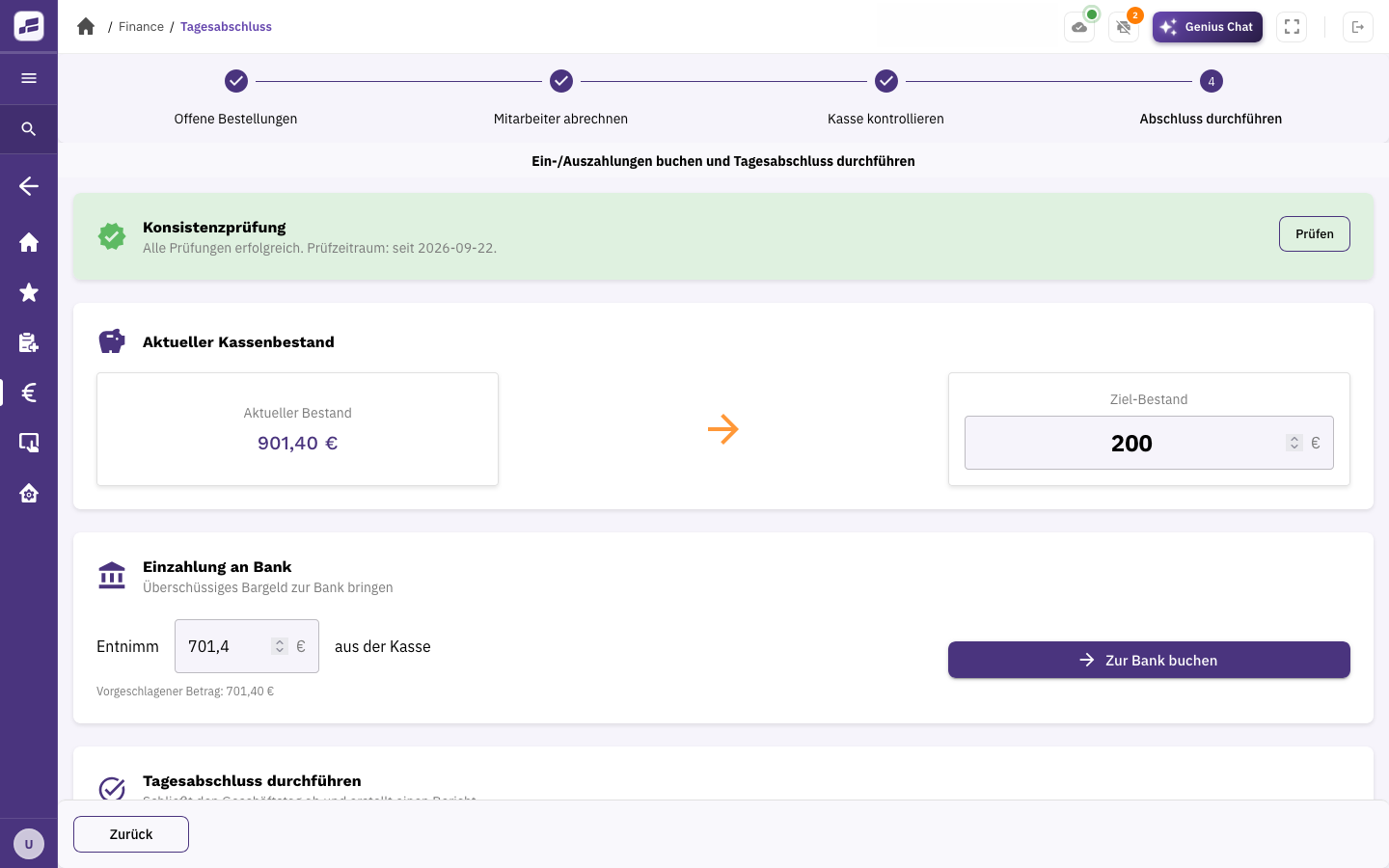
Open the order to take payment. At the end of the day, FoodGenius guides you through open orders, staff cash-ups and checking the till balance.
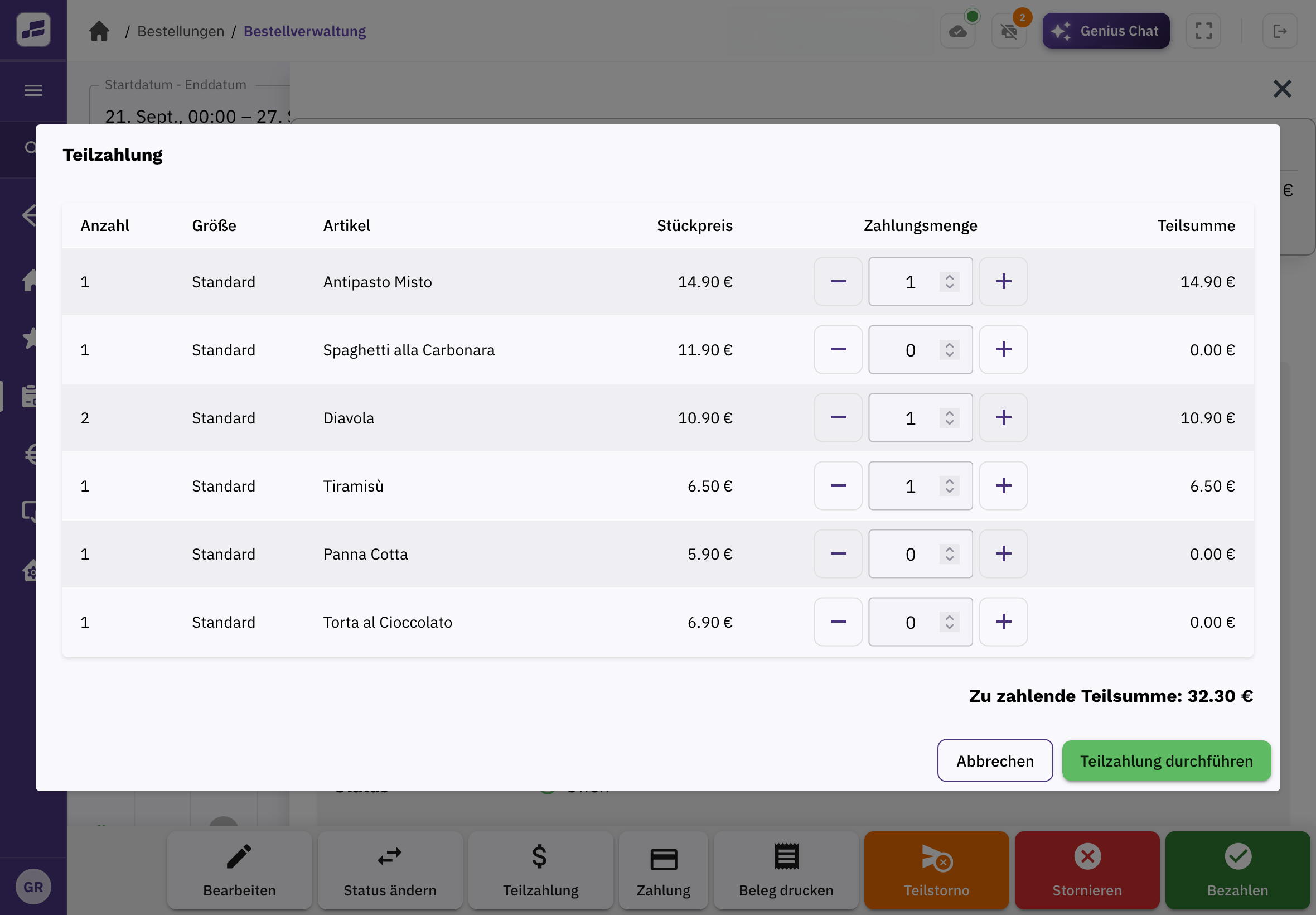
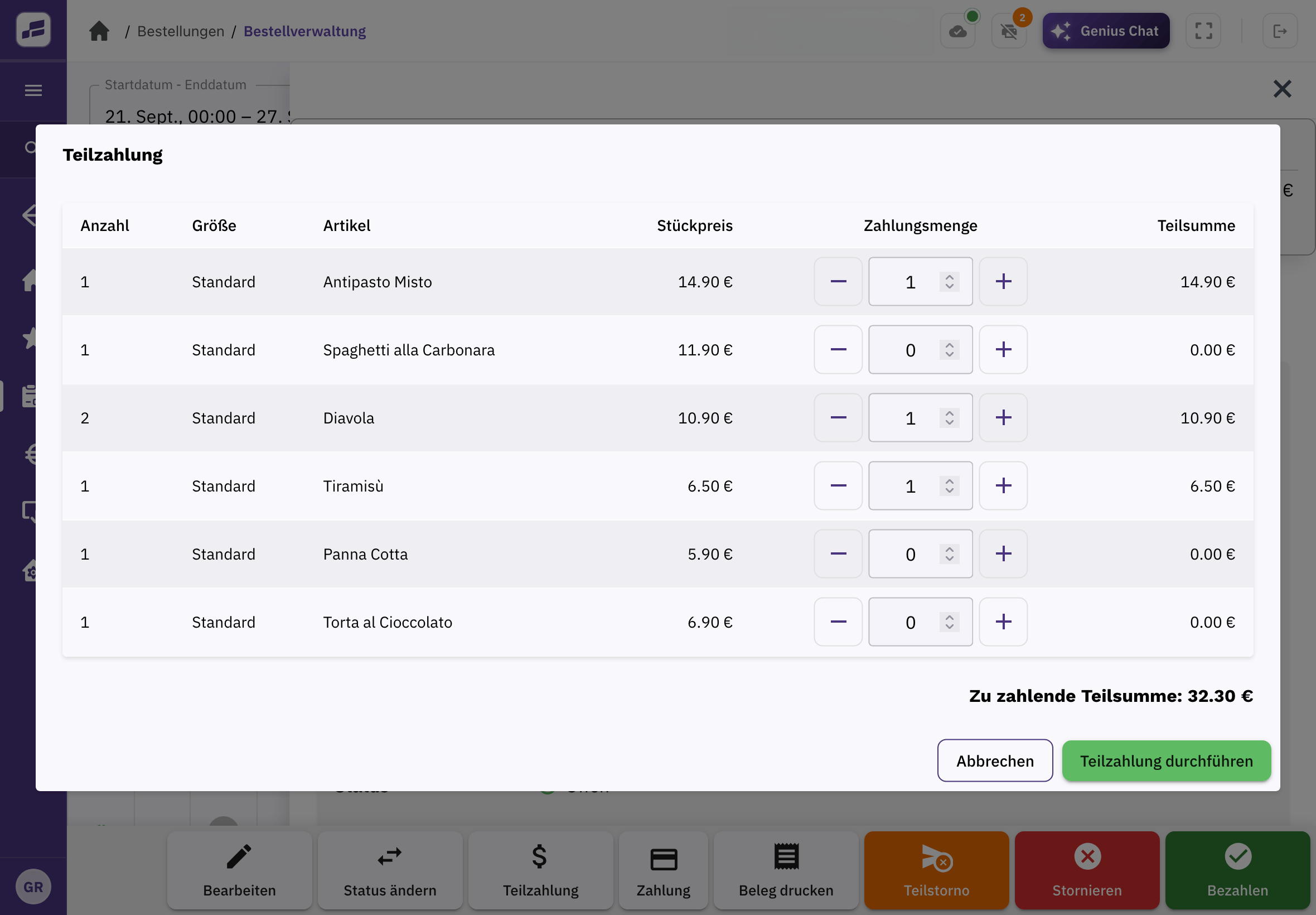
Your guests can pay together or separately, with cash or cashless methods, including contactless. You can settle individual items or part of the bill and see what’s still outstanding. Apply discounts directly to the order and issue a receipt for business dining expenses if needed.
With Tap to Pay, you can accept contactless payments directly on your compatible iPhone or Android smartphone. You don’t need an additional card reader. Take payment wherever your guest is.
Manage items, prices, images and allergens in one place. Set your team members’ tasks and access rights.
Choose which items appear on each kitchen ticket. Check the print status and reprint tickets when needed.
FoodGenius guides you through open orders, staff cash-ups and checking the till balance. Save the completed end-of-day report as a PDF or have it sent automatically by email.
Record your cash transactions in the cash book. Pass your accounting data to your tax adviser in DATEV format. A direct DATEV integration is also included with POS Pro and above.
How many POS stations does your team use, and which features do you need? Compare our plans on the pricing page and put together your FoodGenius setup. Subscribe to your modules directly in FoodGenius.
Add the modules your business needs to your POS.
With Restaurant & Service, you organise tables and areas, take orders at the table and take payment right where your guests are.
With Online Shop & Guest App, your guests order directly from you. Your own shop and the native app for iOS and Android are already included in this module’s Starter plan.
Analyse your sales and look up past end-of-day reports. Reports Starter adds these features to your POS at no additional module base fee.
Before you get started
Yes. Your POS is the backbone of your business. Add further modules for any other tasks you want to cover.
Starter includes one POS station, Pro up to three and Genius an unlimited number. A POS station is a software licence; you buy the devices separately.
FoodGenius runs on devices and operating systems with an up-to-date browser. The layout adapts to your screen size, whether you’re using a computer, tablet or smartphone.
We help you connect existing printers and payment terminals. You buy new devices separately; they aren’t included in the software price.
No. You can add your items one by one or upload your menu directly to FoodGenius. The AI extracts the available information. You check the details and fill in anything that’s missing.
After the trial, you can use the modules you’ve subscribed to. Without a subscription, the features are disabled, but you can still subscribe in the “Modules” section. Trying a module doesn’t automatically start a subscription.
Hardware, payment fees and, where applicable, additional modules or usage-based services cost extra. You’ll find the details on the pricing page.
Yes. Our team helps you with setup and data transfer. During your 30-day trial, we’re here for you around the clock. After that, the support included depends on your plan. POS Genius includes 24/7 support; with Starter and Pro, you can use our paid emergency support service.
FoodGenius needs an internet connection. You can’t continue using the POS without a connection to the server.
Adyen terminals have a built-in Lifelong SIM. Where mobile coverage is available, they can keep working over the mobile network if your business’s internet connection goes down. Other devices still need their own internet connection.
Orders are stored centrally on our servers and retrieved from there. Payments are also processed on the server. If the connection drops, orders already saved and records of payments already processed remain available on the server. FoodGenius accesses this data again once the connection is restored.
Your business data is hosted by Hetzner at its Nuremberg, Falkenstein and Helsinki locations. We back it up continuously. An additional backup is stored at a different location in a separate VSE NET data centre.
Automatic recovery is checked regularly through automated restore tests.
Hetzner and VSE NET have ISO/IEC 27001:2022-certified information security management systems for their hosting and data centre services. See the Hetzner ISO certificate (PDF) and the VSE NET ISO certificate (PDF).
The following printers have been tested with FoodGenius:
Adyen S1F2 and Adyen S1F4 are supported as payment terminals.
Put FoodGenius to the test. For 30 days.
Start with your email address. In the next step, you can upload your menu directly to FoodGenius.