Restaurant & Service

Extra spicy. No onions. All noted.

With FoodGenius, you take orders and special requests directly at the table. Your service team, kitchen and POS all work on the same order.

A member of staff takes an order on a smartphone at a restaurant table. AI-generated restaurant scene. Il Giardino is a fictional example restaurant. AI-generated restaurant scene. Il Giardino is a fictional example restaurant.

Good service. From the first hello to the bill.

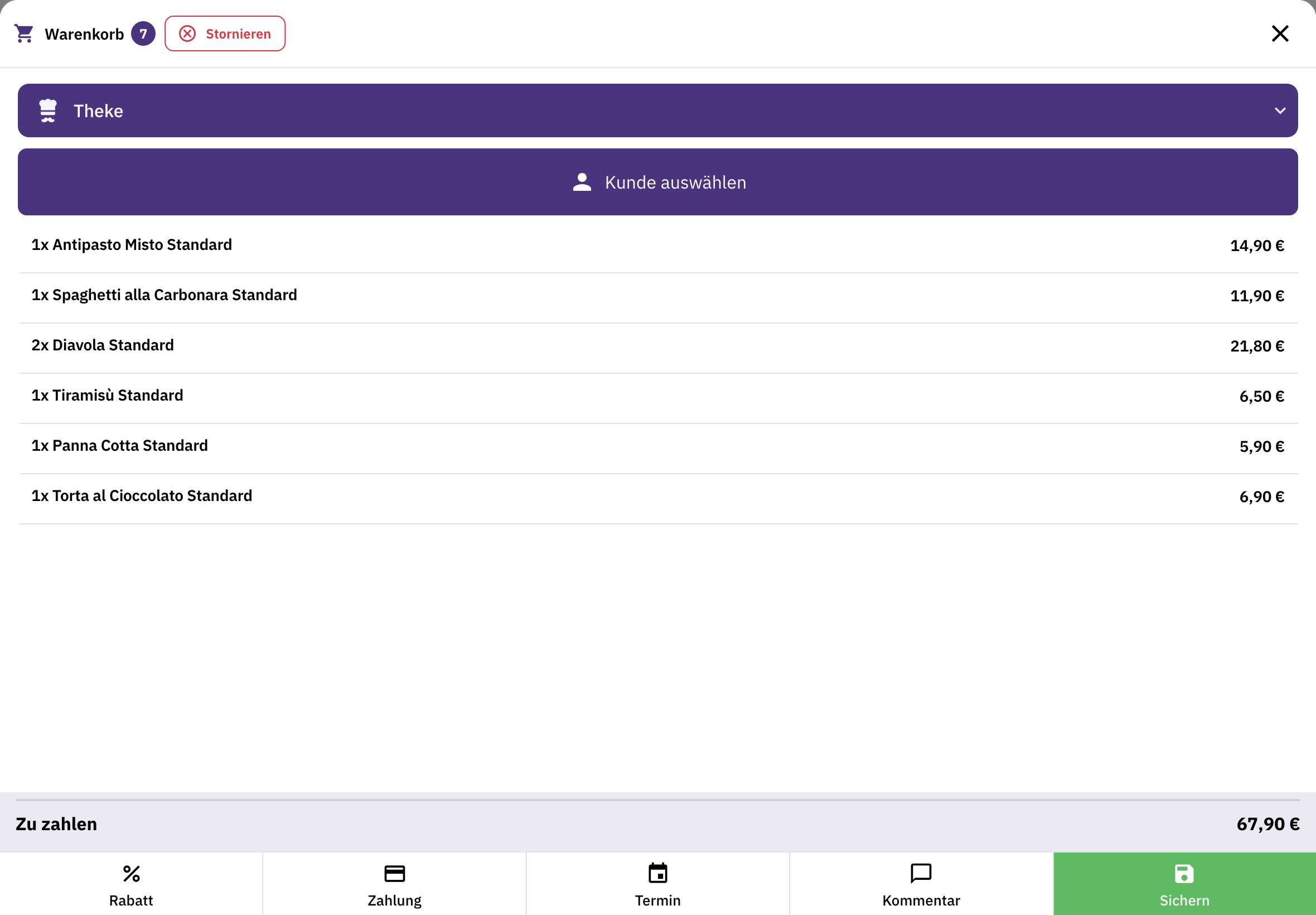
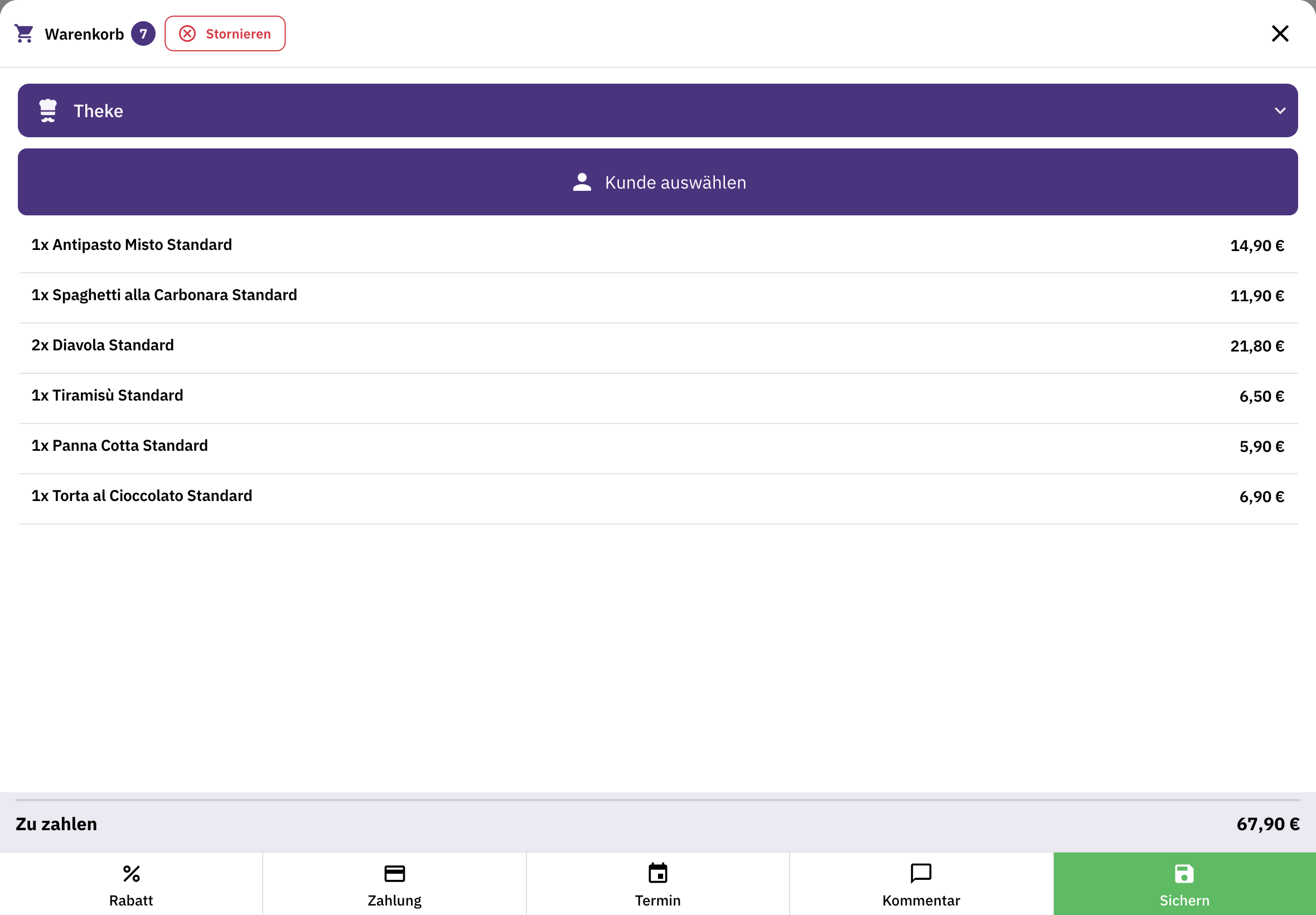
FoodGenius basket for counter sales with dishes, total amount and options for payment, scheduling and comments.

Take the order.

Select the table in the dining area or on the terrace, then enter dishes and special requests while you’re with your guests.
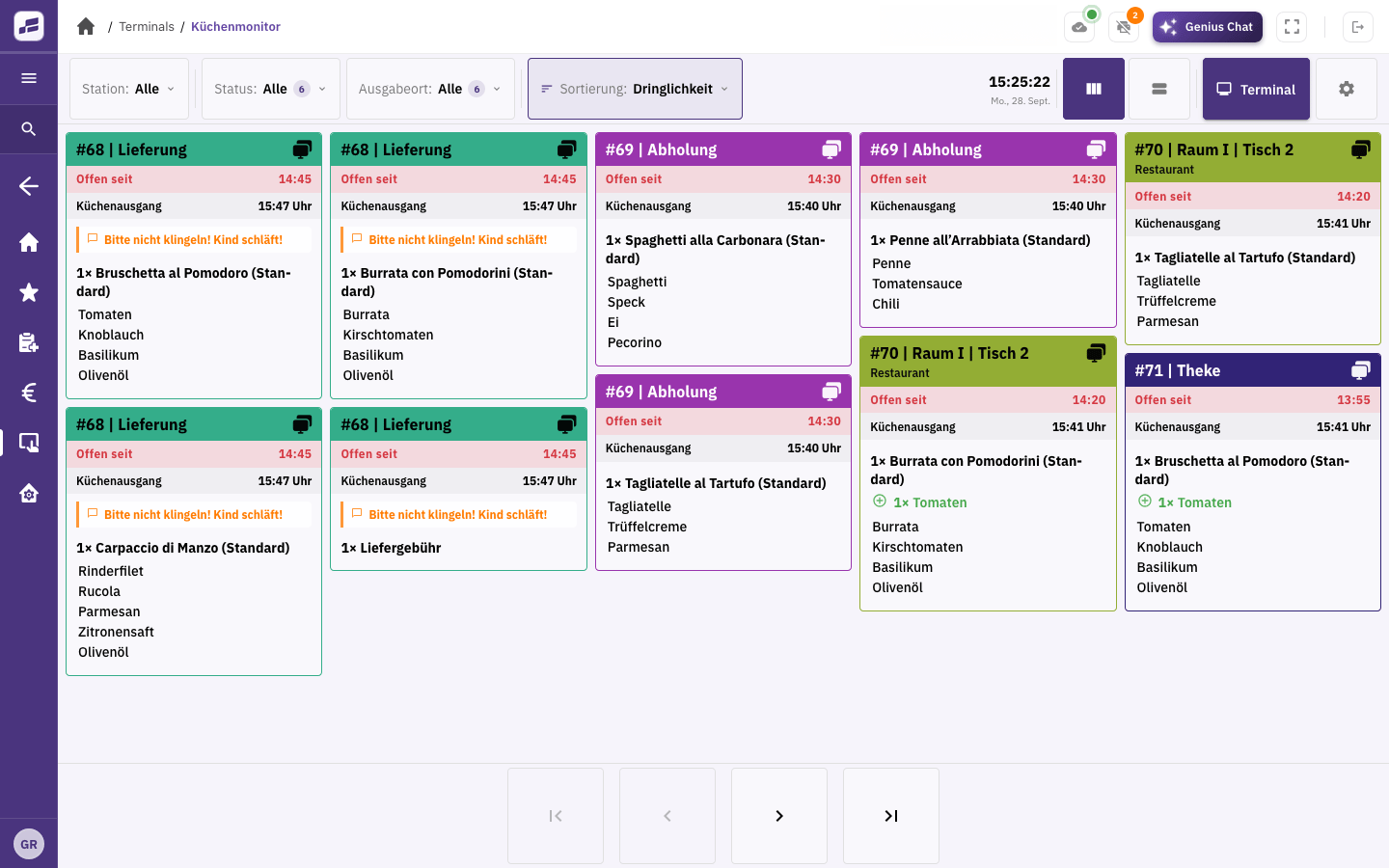
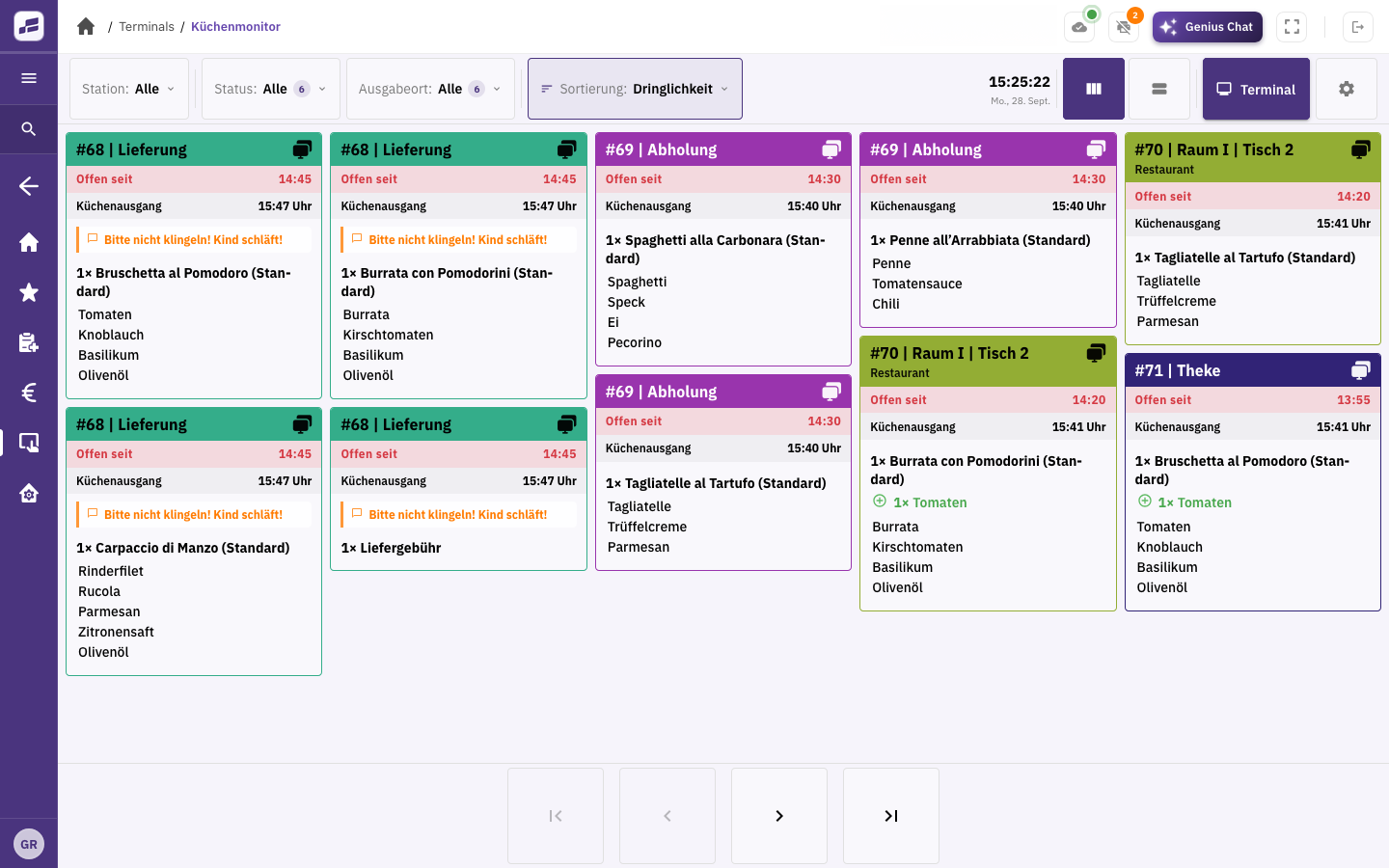
FoodGenius kitchen display showing delivery, pickup and restaurant orders, with dishes, times and special requests.

Get it ready together.

The order arrives on the kitchen display or as a printed kitchen ticket, complete with the special requests you’ve recorded. Your team works with the same details.
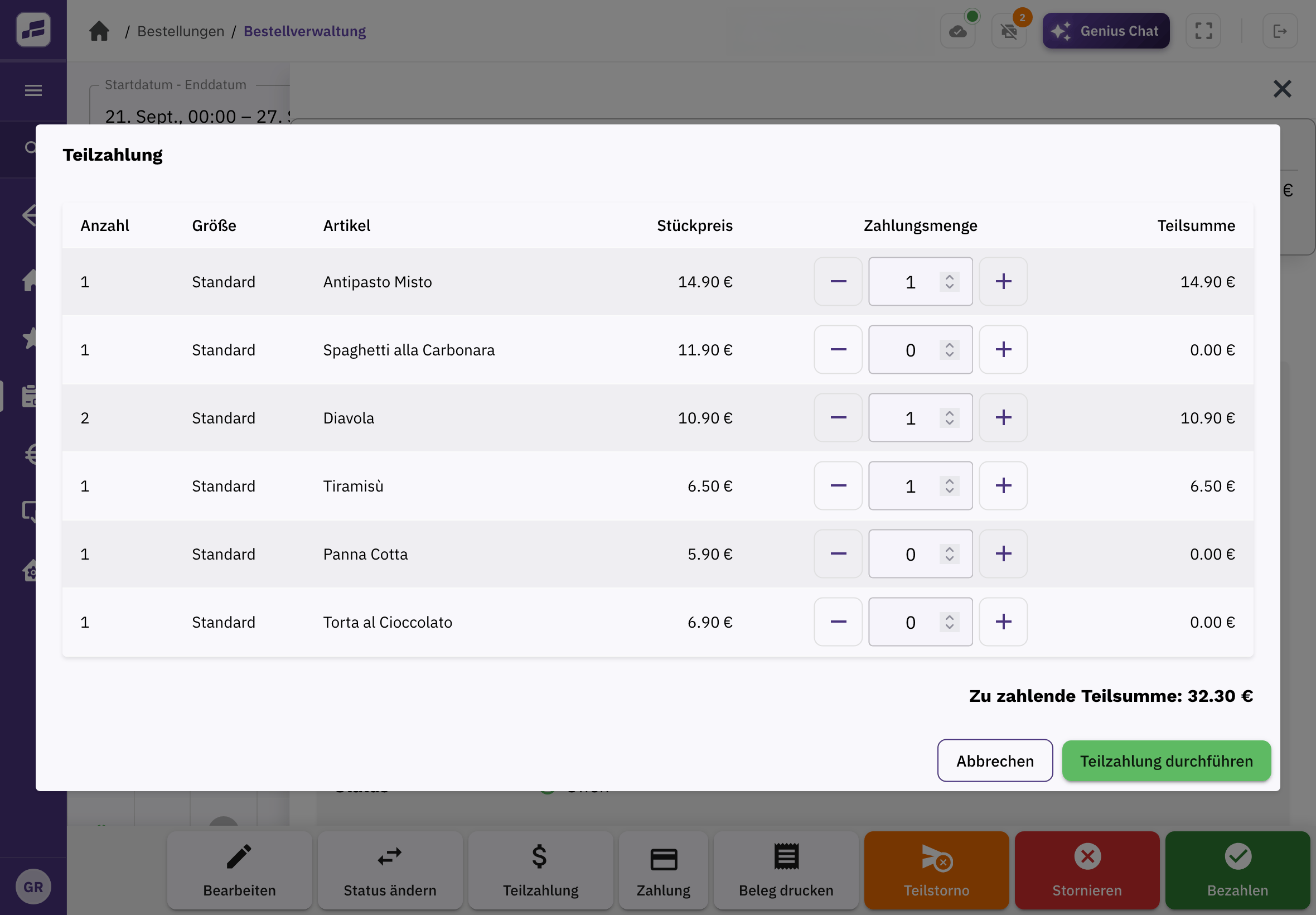
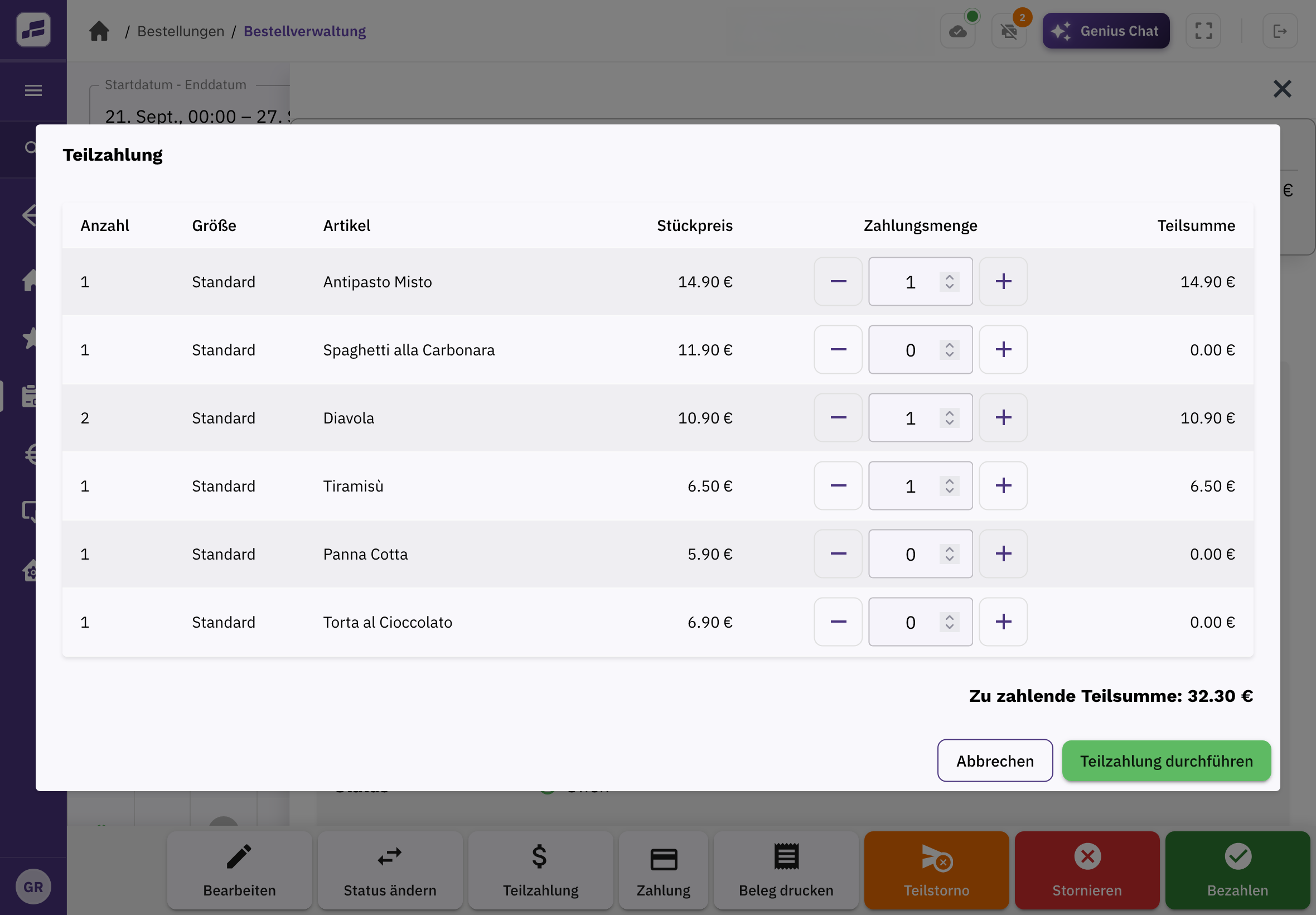
Split payment in FoodGenius: select individual items and quantities and settle the corresponding amount.

Take payment at the table.

Open the order and take payment at the table. You can settle individual items or part of the bill separately.
The details that make service work.

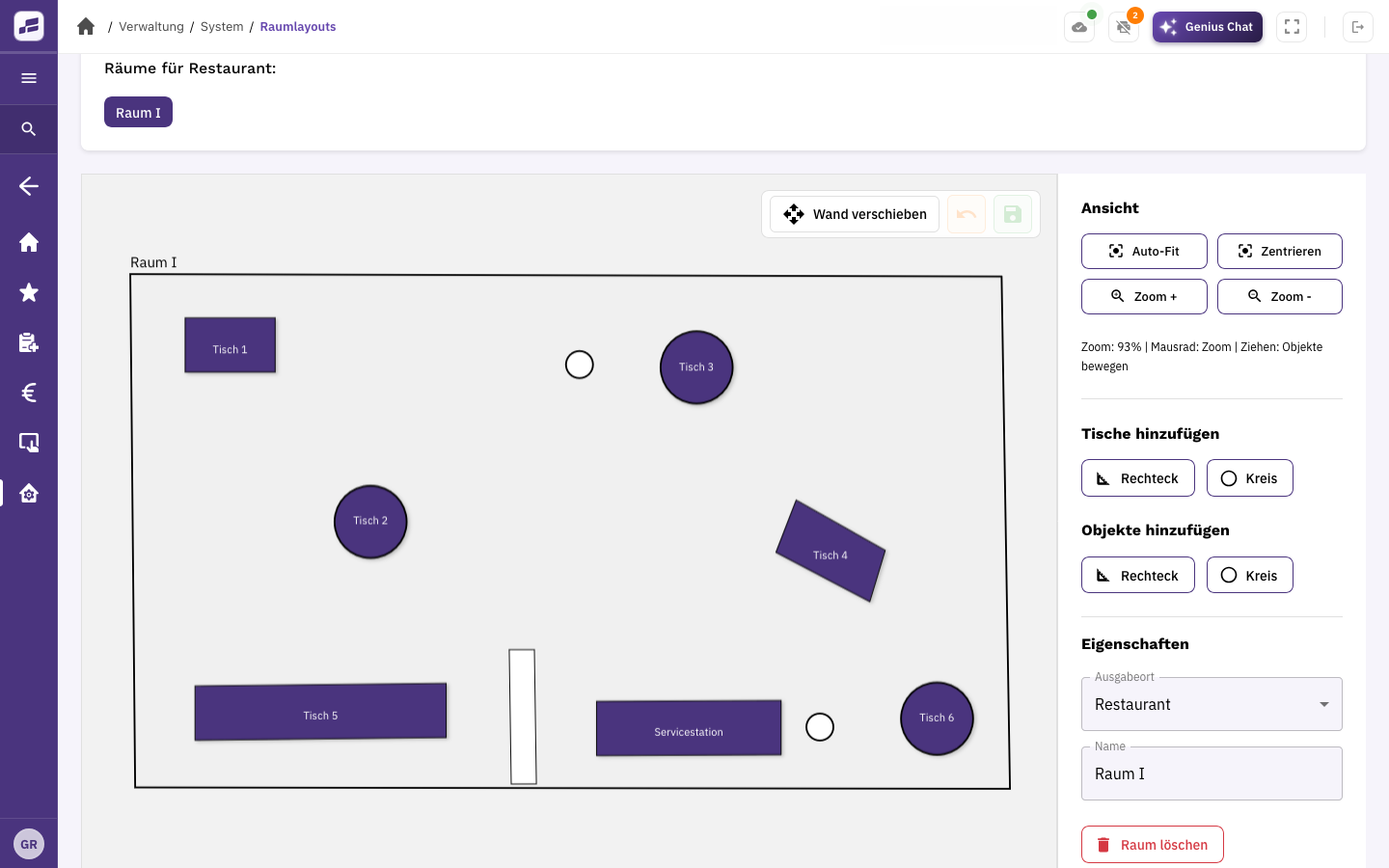
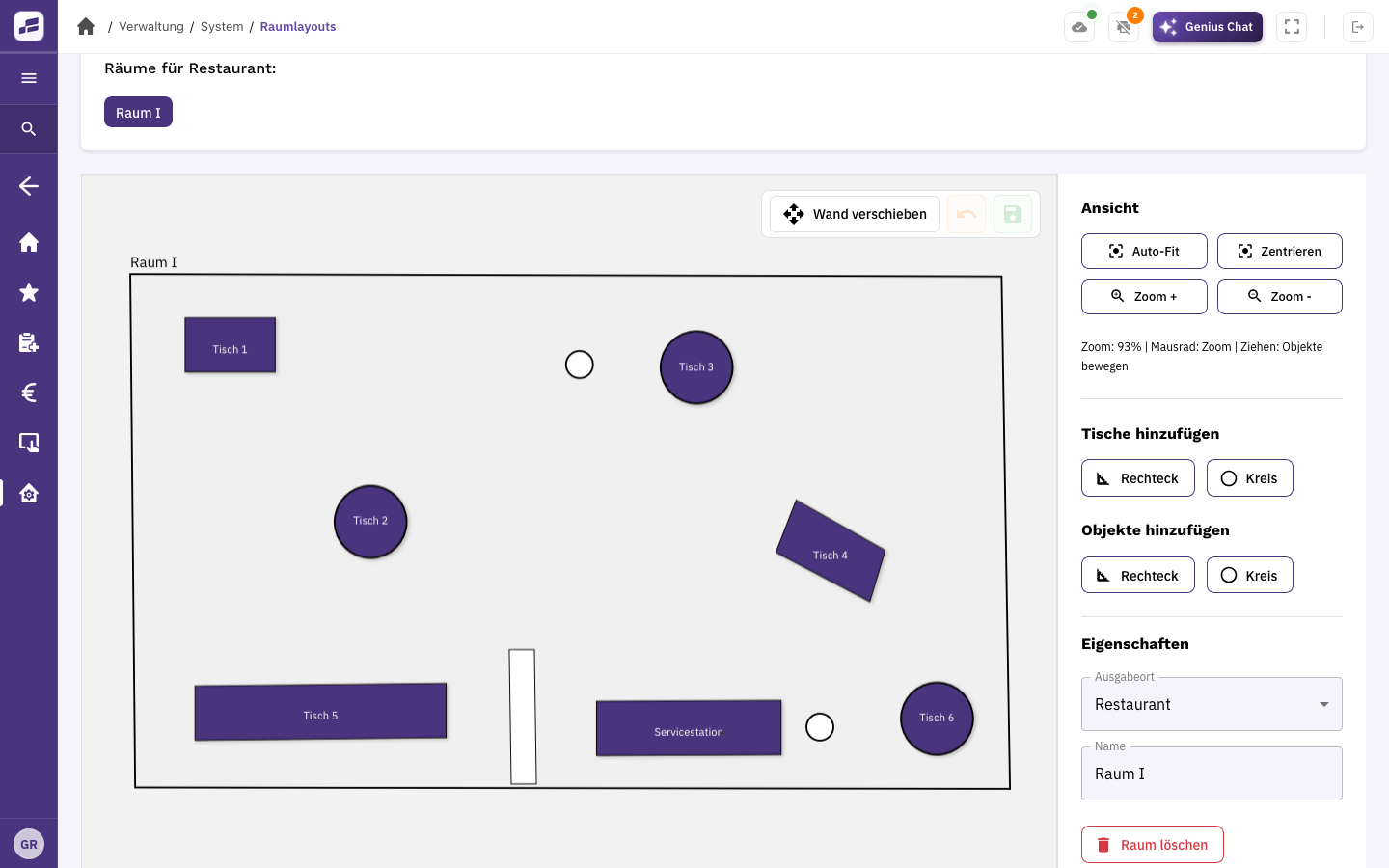
FoodGenius floor plan with tables, a counter and a room divider, plus editing tools.

Your own table plan.

Create your table plan with tables you can position freely and rooms you define yourself. FoodGenius reflects the layout of your dining area and terrace.
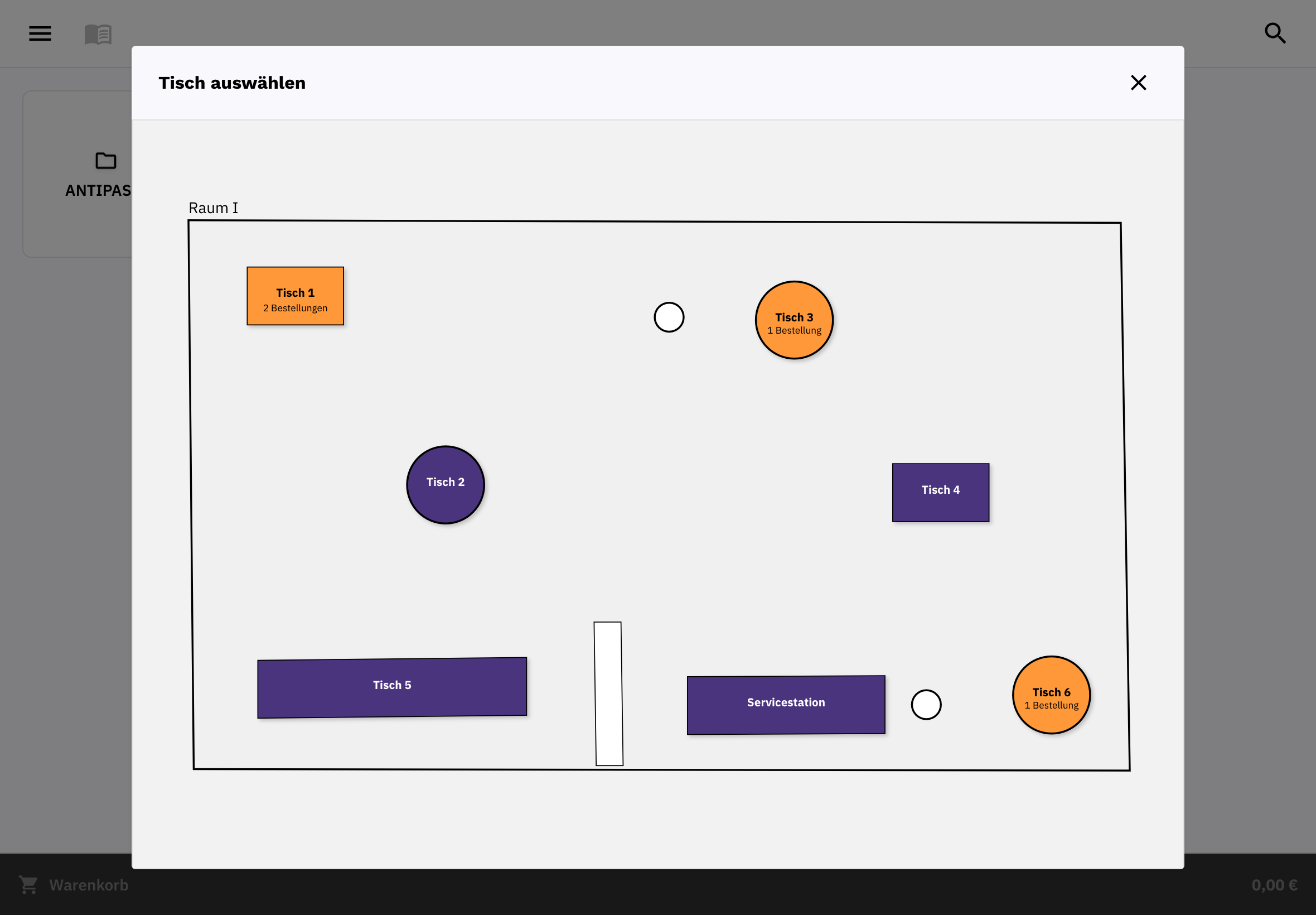
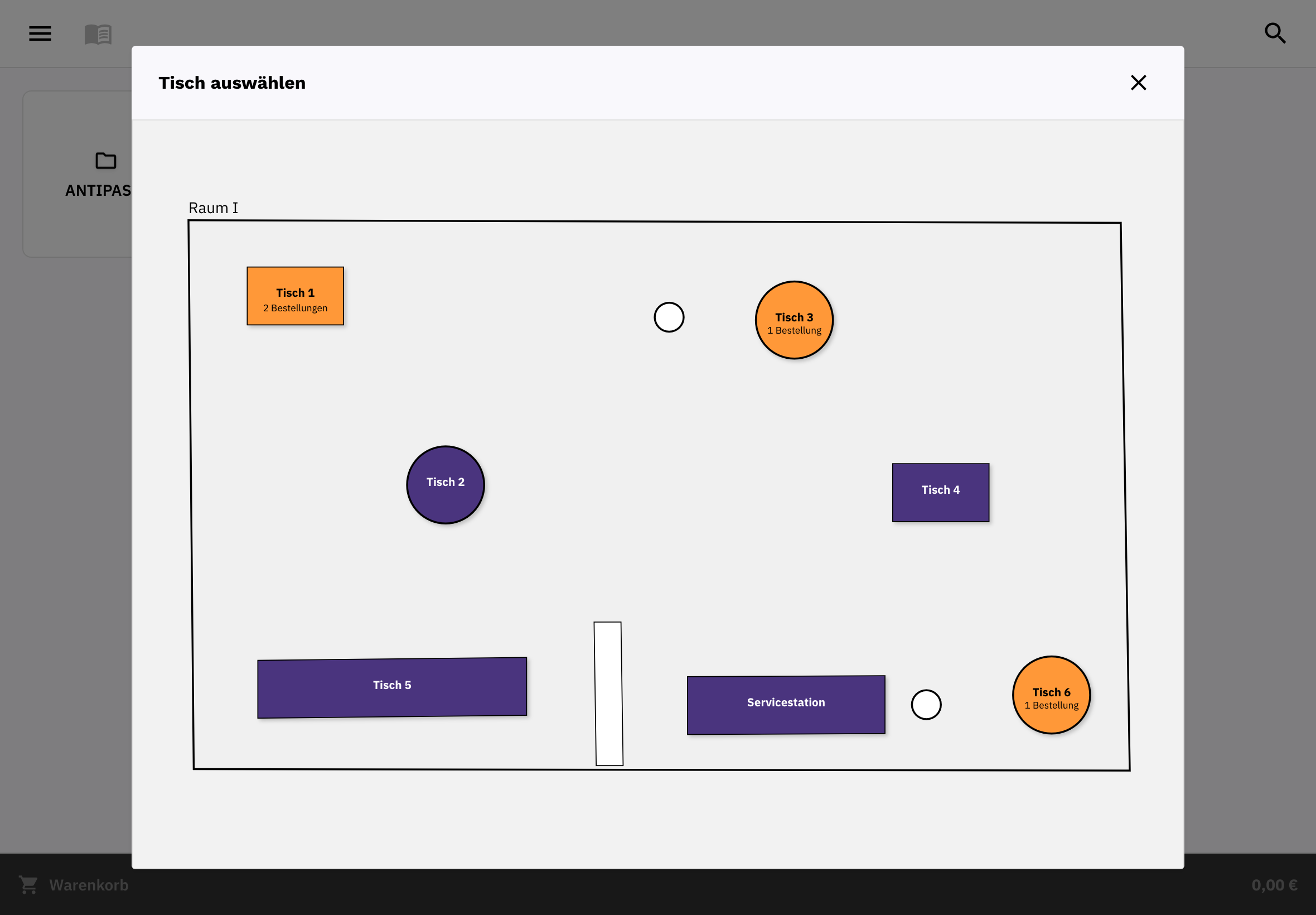
Table selection in FoodGenius: floor plan with tables and several orders at one table.

One table. Several groups of guests.

When several groups of guests share a table, each gets its own basket and separate bill.
Reservations and self-ordering.

Reservations and self-ordering

With Pro, you add links to your external reservation system to your online shop. For self-ordering, you add a self-order terminal to any plan. Your guests order and pay there themselves. It costs €49 per terminal per month plus VAT. Hardware is available separately.

Your service. A plan that fits.

Table service is included in every plan, together with the POS, online shop and kitchen display. On the pricing page, you can compare Starter and Pro.

Good to know

Good to know.

What information does the kitchen receive?

Orders and special requests arrive on the kitchen display or as a printed kitchen ticket. This gives your kitchen the same details as your service team.

Can I use my existing devices?

You can keep using smartphones, tablets, POS devices and printers if they can be connected to FoodGenius. We’ll check this with you and help you connect them. For card payments, you use Adyen card terminals.

Can I get started before my menu is ready?

Yes. Add your items one by one or upload an existing menu directly to FoodGenius. The AI extracts the available information; you check the details and fill in anything that’s missing.

What happens after the 30-day trial?

You choose your plan: Starter or Pro. If you book a plan during the trial, you keep all 30 trial days and billing only starts afterwards. Without a plan, your features will be locked, and nothing is booked automatically. With a plan, you keep working without interruption. So you can already use the trial in your day-to-day business.

Try it in your own business.

Try FoodGenius for 30 days with all available features. All you need to get started is your email address. Our support team is here for you 24/7 during the trial.