

Switching POS systems in an established business

Stay loyal to your guests. Not your old POS system.

Try FoodGenius for 30 days and prepare your switch step by step. Our team helps you import your data and get set up.

Two restaurant staff members compare their printed menu with the information on a laptop. AI-generated restaurant scene. Il Giardino is a fictional example restaurant. AI-generated restaurant scene. Il Giardino is a fictional example restaurant.

Your switch. Step by step.

Plan your data transfer with us.

Talk to us about the items, prices and other data you’d like to bring across. We’ll review your existing files and agree with you on how to import them.

Check your existing devices.

Together, we’ll check which devices you can keep using and help you connect them. You buy any new devices you need separately. For card payments, you use Adyen card terminals.

Get ready to switch.

Check the imported details and try out the workflows with your team. Then choose the right time to switch.

A new POS. No degree required.

Get to know FoodGenius through the tasks you do every day: taking orders, adding special requests and accepting payments. Practise with your own menu and help your team get familiar with FoodGenius step by step.
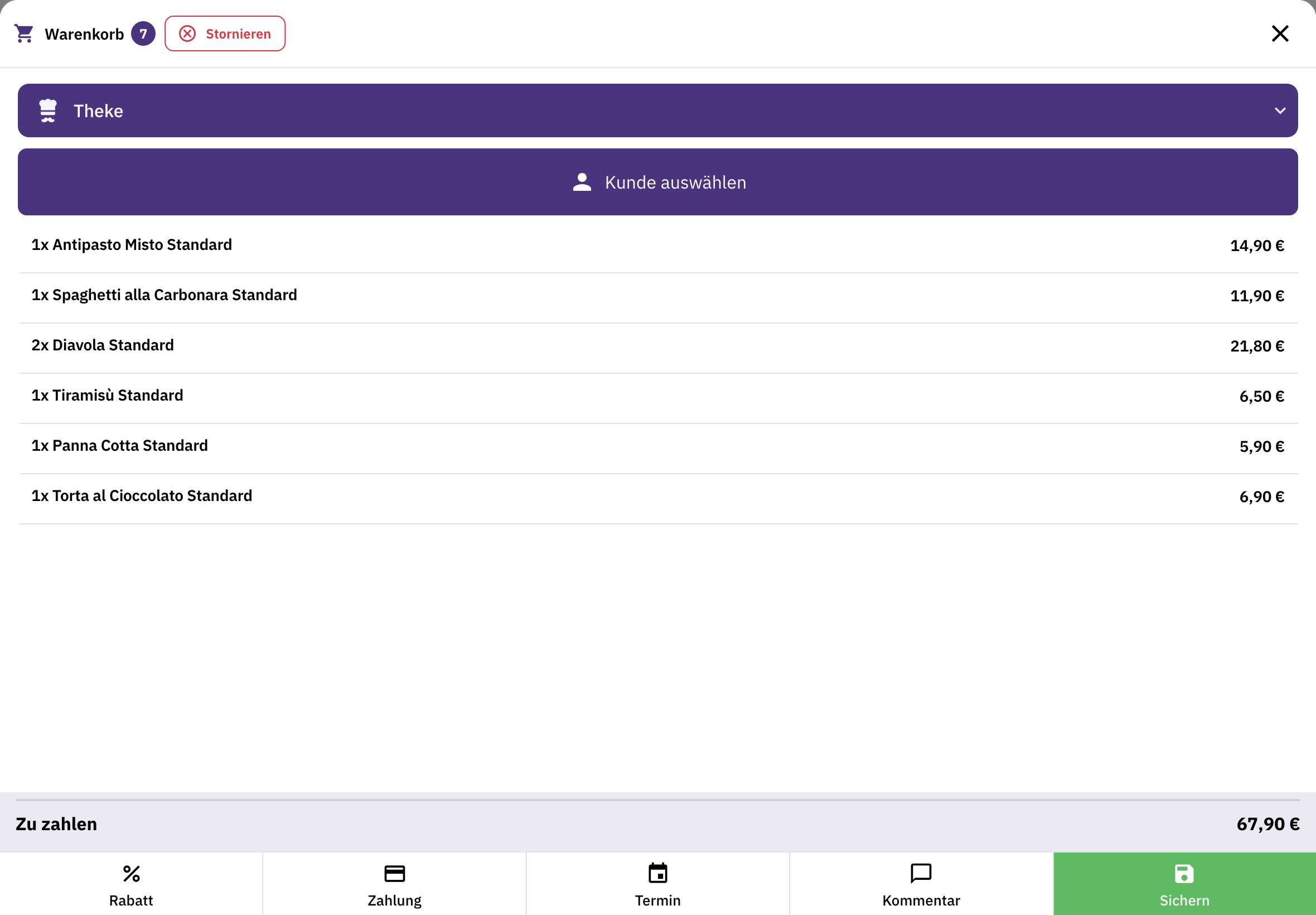
Features that fit your business.

POS and payments.

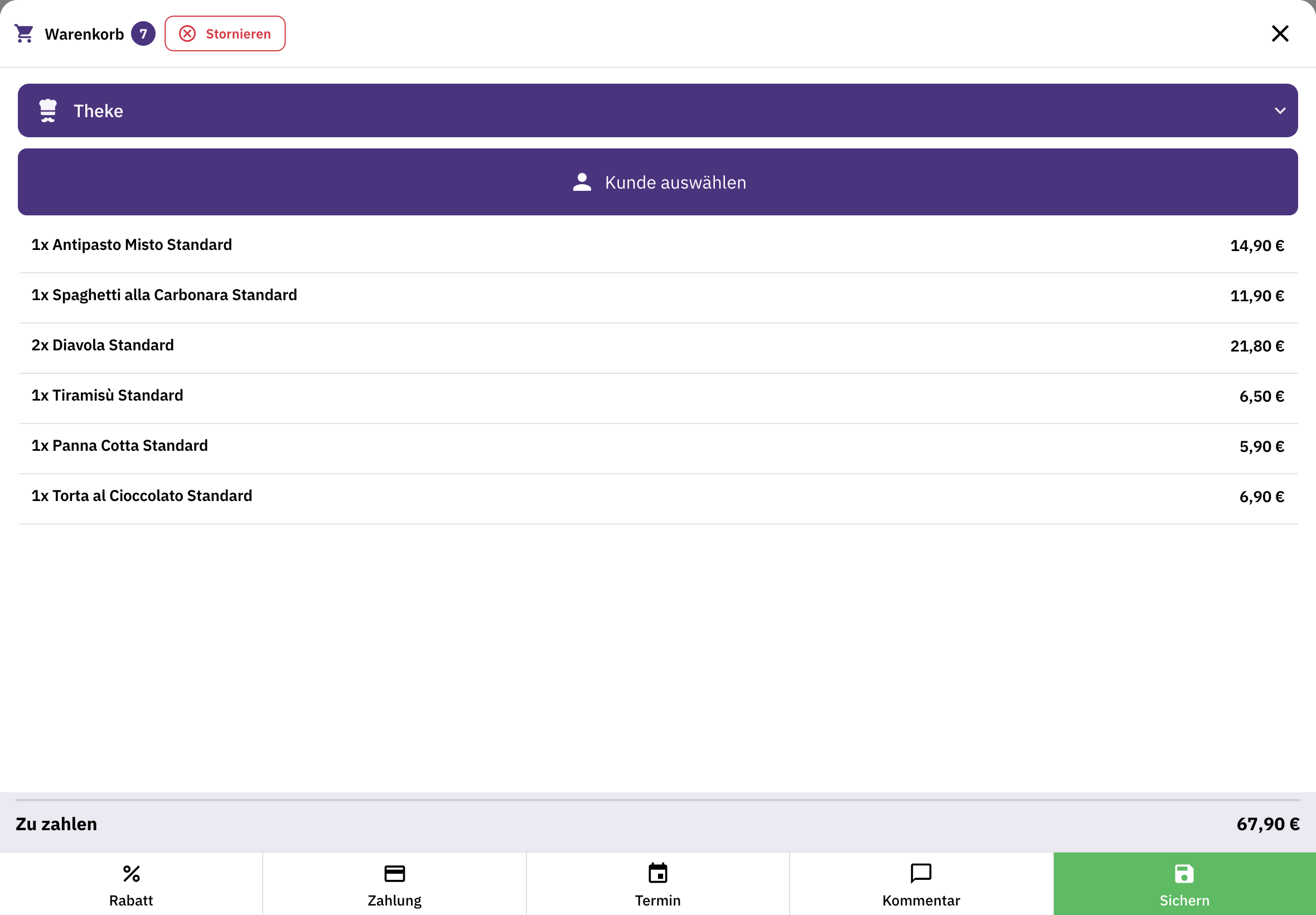
Manage items, orders and payments in one place. Plus a cash book, end-of-day closing and connections to your receipt printers.

Accounting and DATEV.

Your POS is TSE-certified and meets the legal requirements. Request the POS data export for tax audits at any time. Send your accounting data via DATEV export or directly through the DATEV interface.

Table service.

Organise tables and areas, take orders on a mobile device and accept payment right where your guests are.

Online shop.

Let your guests order online from you too, for pickup or delivery. Organise your own drivers with delivery management.

Kitchen display.

Orders appear in the kitchen in real time, sorted by station. Your team checks them off with a tap.

Reports.

Analyse revenue, end-of-day closing and cancellations directly in FoodGenius. With Pro, you build your own dashboards and add reports with AI.

Support with data transfer and setup

Your data is moving. We'll lend a hand.

Our team helps you import your data and connect your devices. This support is free during your 30-day trial, and we’re here for you around the clock.

Support with your switch
A restaurant manager checks information in FoodGenius on a computer and takes notes. AI-generated restaurant scene. Il Giardino is a fictional example restaurant. AI-generated restaurant scene. Il Giardino is a fictional example restaurant.

Before you switch

Good to know.

What data can I transfer?

With our AI, you can import your menu and business details from your documents. Upload them to FoodGenius and the AI reads the information. Check it and fill in anything that’s missing. Our team supports you along the way.

Can I use my existing devices?

You can keep using smartphones, tablets, POS devices and printers if they can be connected to FoodGenius. We’ll check this with you and help you connect them. For card payments, you use Adyen card terminals. You buy any new devices you need separately; they aren’t included in the plan price.

How long does switching take?

That depends on your data, devices and workflows. Once everything is set up, try out the key tasks with your team. Then choose the right time to switch.

Will signing up affect my current POS?

No. Your existing system stays as it is. You’ll receive an email with your personal login link. Your 30-day trial only starts when you first log in to FoodGenius.

Do I need to choose a plan before starting the trial?

No. Get to know all available features during the 30-day trial. Choose your plan afterwards, directly in FoodGenius.

Can I use multiple POS stations?

Yes. You can use unlimited POS stations and printers with every plan. Devices are available separately.

What happens after the 30-day trial?

You choose your plan: Starter or Pro. If you book a plan during the trial, you keep all 30 trial days and billing only starts afterwards. Without a plan, your features will be locked, and nothing is booked automatically. With a plan, you keep working without interruption. So you can already use the trial in your day-to-day business.

What support will I get?

Our team helps you import your data and connect your devices. This support is free during your 30-day trial, and our support team is available around the clock. After that, the support you receive depends on your plan. Pro includes 60 minutes of personal onboarding.

Get to know your new system. In your own business.

Try FoodGenius for 30 days with your own menu. All you need to get started is your email address.